12
Windows
®
USB
For USB Interface Users
(For Windows
®
2000 Professional/XP/XP Professional x64 Edition/
Windows Vista
®
)
13
Before you install
a Make sure that your computer is ON and you
are logged on with Administrator rights.
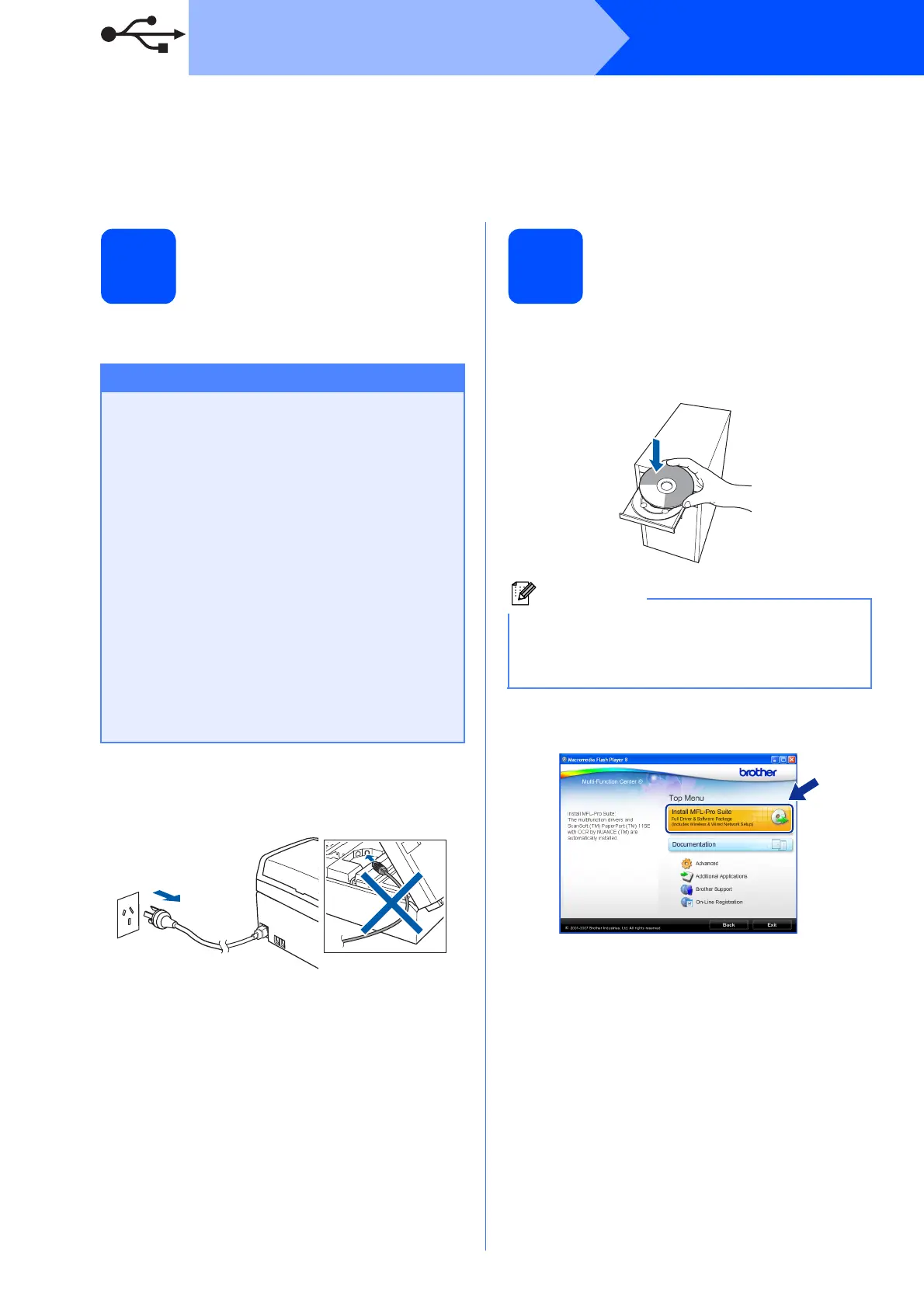
b Disconnect the machine from the power socket
and from your computer, if you already
connected an interface cable.
14
Install MFL-Pro Suite
a Put the supplied CD-ROM into your CD-ROM
drive. If the model name screen appears,
choose your machine. If the language screen
appears, choose your language.
b The CD-ROM main menu will appear. Click
Install MFL-Pro Suite.
Important
• DO NOT connect the USB cable yet.
• If there are any programs running, close
them.
• Make sure there are no memory cards or a
USB Flash memory drive inserted.
• The screens may differ depending on the
operating system.
• The supplied CD-ROM includes ScanSoft™
PaperPort™ 11SE
*
. This software supports
Windows
®
2000 (SP4 or greater), XP (SP2 or
greater), XP Professional x64 Edition and
Windows Vista
®
. Update to the latest
Windows
®
Service Pack before installing
MFL-Pro Suite.
* For Hong Kong users, CD-ROM includes Presto!
®
PageManager
®
instead of ScanSoft™ PaperPort™11SE.
Note
If the Brother screen does not appear
automatically, go to My Computer (Computer),
double-click the CD-ROM icon, and then
double-click start.exe.



 To Next Page
 Loading...










