EasyManua.ls Logo

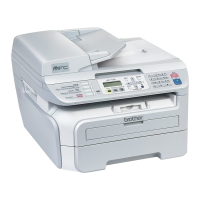
Brother MFC-7365DN - User Manual

Brother MFC-7365DN
76 pages
Print Icon
To Next Page IconTo Next Page
Loading...
ADVANCED
USER’S GUIDE
MFC-7360N
MFC-7365DN
MFC-7460DN
MFC-7860DW
Not all models are available in all countries.
Version A
USA/CAN

Table of Contents

Other manuals for Brother MFC-7365DN

Questions and Answers

  • M
    Michael ThomasSep 23, 2025
    What does 'Limit Exceeded' mean on my Brother All in One Printer?
    • J
      Jose MonroeSep 23, 2025
      The 'Limit Exceeded' message on your Brother All in One Printer means you've reached the page limit set in Secure Function Lock 2.0 for your ID. Contact your administrator to check your Secure Function Lock Settings.
  • C
    Christopher CrawfordAug 23, 2025
    What does 'Toner Low' mean on my Brother MFC-7365DN?
    • D
      Diana HawkinsAug 23, 2025
      When your Brother All in One Printer displays 'Toner Low', it means that the toner is running low. It's a good idea to buy a new toner cartridge before you get a 'Replace Toner' message.
  • J
    johnsonmarcusAug 25, 2025
    What causes 'Document Jam' on Brother All in One Printer?
    • M
      Megan MoranAug 25, 2025
      A 'Document Jam' error on your Brother All in One Printer means the document wasn't inserted or fed correctly, or the document scanned from the ADF was too long.
  • T
    tstarkAug 27, 2025
    Why is duplex printing disabled on my Brother MFC-7365DN?
    • M
      Martha OsbornAug 27, 2025
      If your Brother All in One Printer shows 'Duplex Disabled', it means either the duplex tray is removed or not properly installed, or the back of the machine isn't completely closed. Make sure the duplex tray is correctly inserted until it clicks into place, and ensure the back cover of the machine is closed.
  • R
    Richard HumphreyAug 27, 2025
    What to do if my Brother All in One Printer says 'Out of Memory'?
    • M
      Mrs. Cynthia CollinsAug 28, 2025
      The Brother All in One Printer's memory is full. If you're faxing or copying, you can press Start to continue with the scanned pages or press Stop/Exit and wait for other operations to finish before trying again. Alternatively, clear faxes from the memory by printing them to free up space, then turn off Fax Storage to prevent future memory issues. If you're printing, try reducing the print resolution or clearing faxes from the memory.
  • C
    Cole ObrienSep 18, 2025
    What does 'Not Available' mean on my Brother MFC-7365DN?
    • M
      martin78Sep 18, 2025
      The 'Not Available' message on your Brother All in One Printer indicates that the requested function is not permitted to all IDs by Secure Function Lock 2.0. Contact your administrator to check your Secure Function Lock Settings.
  • S
    Sharon GarnerSep 15, 2025
    What to do if my Brother MFC-7365DN says 'DR Mode in Use'?
    • A
      Alex PerezSep 15, 2025
      The message 'DR Mode in Use' on your Brother All in One Printer means the machine is set to Distinctive Ring mode, preventing you from changing the Receive Mode from Manual to another mode. Set Distinctive Ring to Off.
  • M
    Michael OliverSep 16, 2025
    What does 'Access Denied' mean on my Brother All in One Printer?
    • J
      Jennifer JonesSep 16, 2025
      The 'Access Denied' message on your Brother All in One Printer means the function you're trying to use is restricted by Secure Function Lock. Contact your administrator to check your Secure Function Lock settings.
  • R
    robertreynoldsSep 6, 2025
    What does 'Comm.Error' mean on my Brother All in One Printer?
    • K
      Kelsey HendersonSep 6, 2025
      A 'Comm.Error' on your Brother All in One Printer indicates a communication error due to poor telephone line quality. Try sending the fax again or connect the machine to another telephone line. If the problem persists, contact your telephone company to check your line.
  • S
    Summer KingSep 3, 2025
    How to fix 'Size mismatch' error on Brother MFC-7365DN All in One Printer?
    • V
      Victoria EsparzaSep 3, 2025
      A 'Size mismatch' error on your Brother All in One Printer means the paper in the tray is not the correct size. Load an appropriate size of paper in the tray, and reset the “Paper Size”.

Brother MFC-7365DN Specifications

Printing Specifications IconPrinting Specifications
print technologyElectrophotographic Laser
print speedUp to 24ppm
print resolutionUp to 1200 x 600 dpi
Copying Specifications IconCopying Specifications
copy speedUp to 24cpm
copy resolution600 x 600 dpi
copy reduction/enlargement25% - 400% in 1% increments
Scanning Specifications IconScanning Specifications
scanner typeColor Flatbed with ADF
document glass size8.5” x 11” (letter)
scan resolutionOptical: Up to 600 x 2400 dpi
Paper Handling IconPaper Handling
paper size maximumUp to 8.5” x 14” (legal size)
paper input capacity maximum250-sheet capacity paper tray, single-sheet manual feed slot
output capacity maximum100 sheets (face down), 1 sheet (face up)
Weight and Dimensions IconWeight and Dimensions
unit dimensions15.9” W x 15.7” D x 12.4” H
unit weight25.6 lbs.
carton weight32.6 lbs.
carton dimensions20.7” W x 20.1” D x 19.4” H

Related product manuals