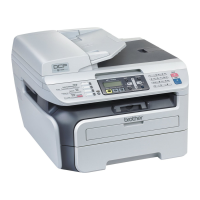
General information
7
1
4LCD
Displays messages to help you set up and use
your machine.
(For DCP-7070DW) A four level indicator
shows the current wireless signal strength if
you are using a wireless connection.
5 Menu keys:
Menu
Lets you access the Menu to program your
settings in this machine.
Clear
Deletes entered data or lets you cancel the
current setting.
a + or b -
Press to scroll through the menus and options.
OK
Lets you store your settings in the machine.
6Stop/Exit
Stops an operation or exits from a menu.
7Start
Lets you start making copies or scanning.
0Max



 To Next Page
 Loading...