Chapter 7
28
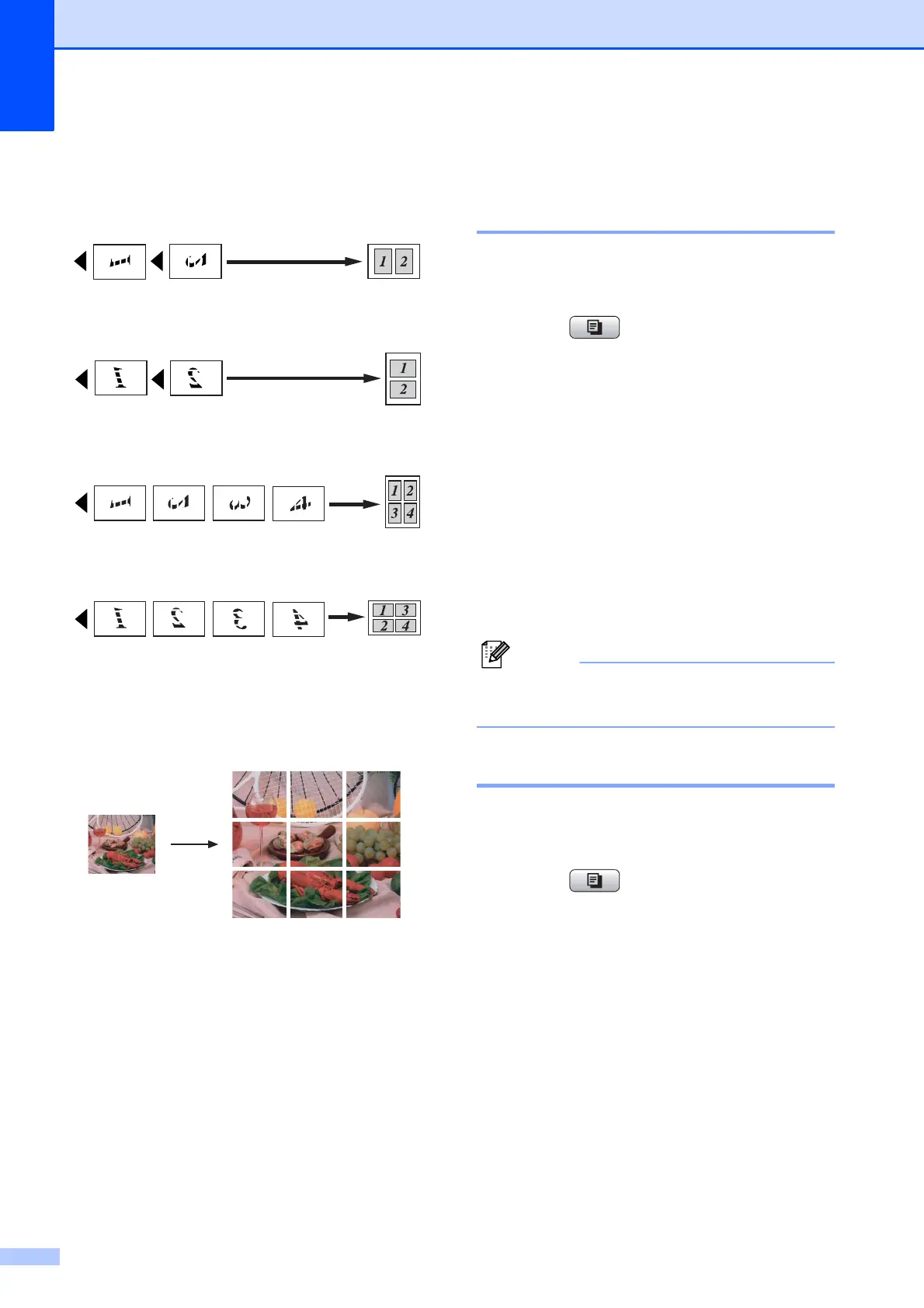
Place the document face down in the
direction shown below:
2in1(P)
2in1(L)
4in1(P)
4in1(L)
Poster(3 x 3)
You can make a poster size copy of a
photograph.
Sorting copies using the ADF
(MFC-J410W and MFC-J415W
only) 7
You can sort multiple copies. Pages will be
stacked in the order 321, 321, 321, and so on.
a Press (COPY).
b Load your document.
c Enter the number of copies you want.
d Press a or b to choose Stack/Sort.
Press OK.
e Press a or b to choose Sort.
Press OK.
f If you do not want to change additional
settings, press Black Start or
Color Start.
Fit to Page and Page Layout are
not available with Sort.
Adjusting Density 7
You can adjust the copy density to make
copies darker or lighter.
a Press (COPY).
b Load your document.
c Enter the number of copies you want.
d Press a or b to choose Density.
Press OK.
e Press c to make the copy darker or
press d to make the copy lighter.
Press OK.
f If you do not want to change additional
settings, press Black Start or
Color Start.



 To Next Page
 Loading...













