Introduction
3
1
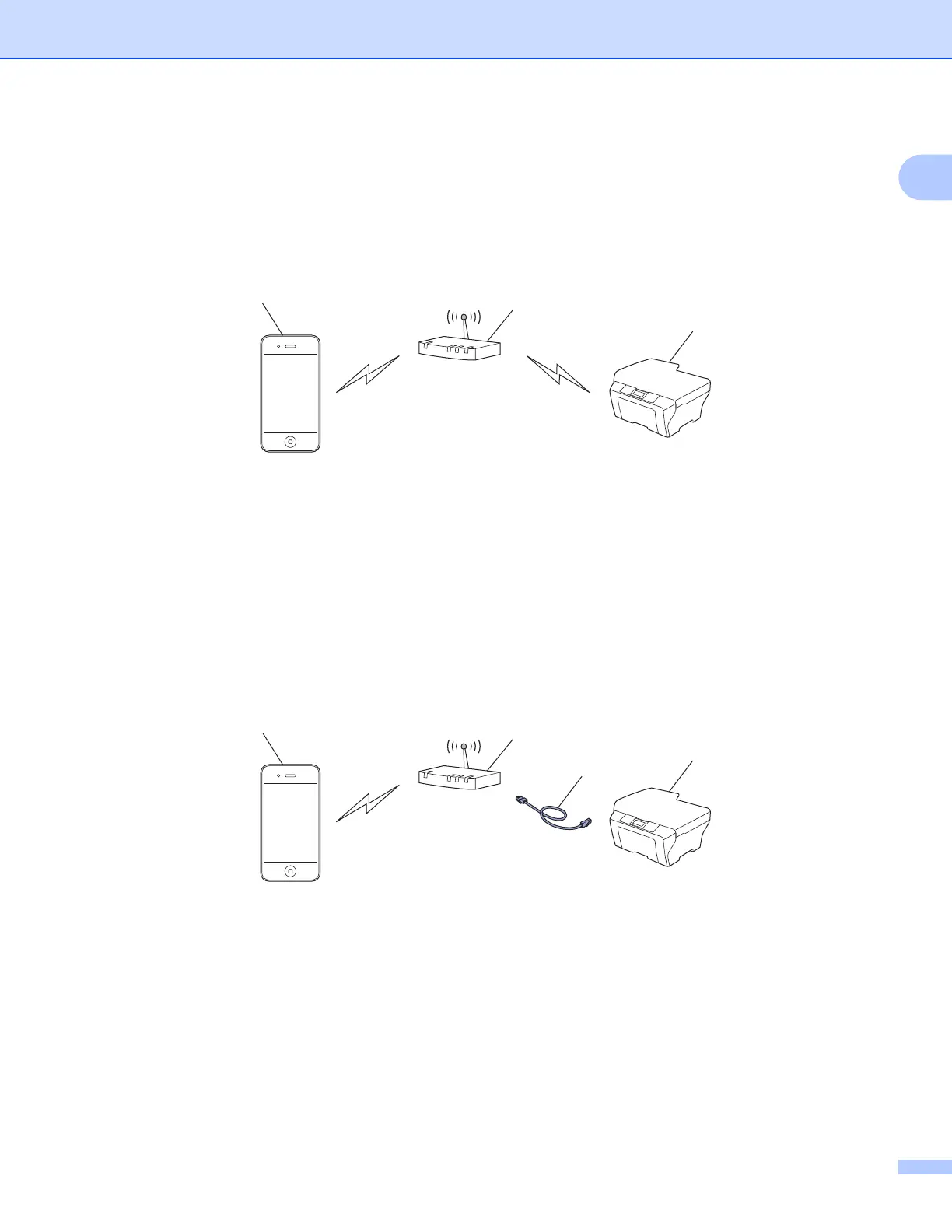
Infrastructure mode 1
Connect your mobile device to your Brother machine through a wireless access point/router.
When the Brother machine is connected to the wireless access point/router using the machine’s wireless
feature:
1 Mobile device
2 Wireless access point/router
3 Wireless network machine (your Brother machine)
When the Brother machine is connected to the wireless access point/router using a network cable
(supported models only):
1 Mobile device
2 Wireless access point/router
3 Network cable
4 Wired or wireless network machine (your Brother machine)
3
2
1
4
3
2
1



 To Next Page
 Loading...