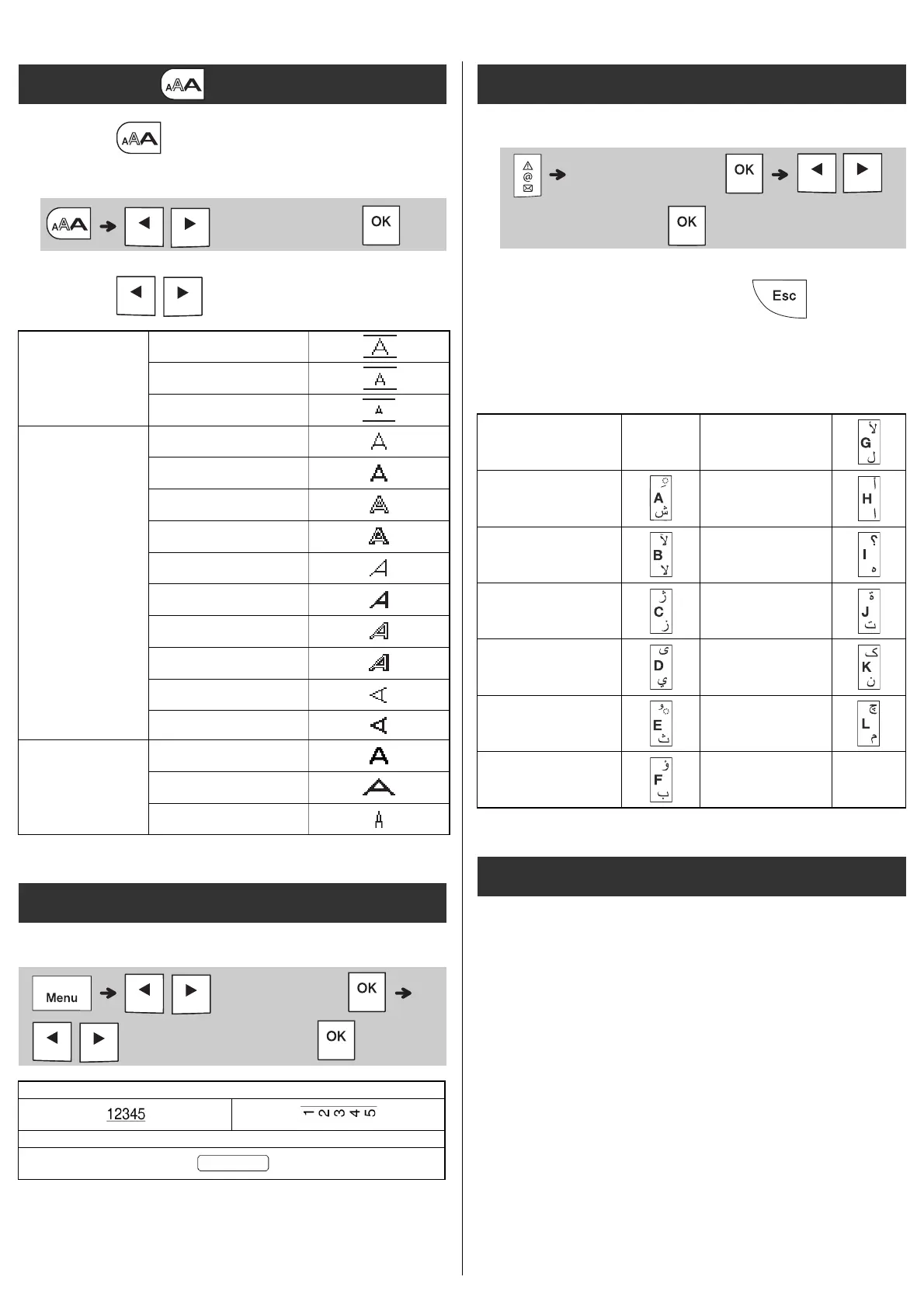
1 Press to select the settings to enter
the text.
2 Press / to select the settings.
Emphasise text using underlines or a frame.
Entering Symbols
• See the Symbols table in this guide.
• To cancel operation, press .
• Select History to view up to seven recently-
used symbols.
• You can also insert Symbols by pressing
the shortcut keys, as shown below.
Monotype™
Monotype is a trademark of Monotype Imaging
Inc. registered in the United States Patent and
Trademark Office and may be registered in
certain jurisdictions.
Frutiger™
Frutiger is a trademark of Linotype Corp.
registered in the U.S. Patent and Trademark
Office and may be registered in certain other
jurisdictions in the name of Linotype Corp. or its
licensee Linotype GmbH.
Text Key
/
(Select an item)
Size
Large
Medium
Small
Style
Normal
Bold
Outline
Shadow
Italic
I+Bold
I+Outline
I+Shadow
Vertical
V+Bold
Width
× 1
× 2
× 1/2
Underline and Frame
/ [Undl/Frame]
/ (Select a frame type)
2
3
Symbols Key
(Select category)
/
(Select a symbol)
Punctuation
Space
key
Currency
History Greek
Brackets Electrical
Bullets Datacom
Super/Subscript AV/Security
Mathematics Safety
Arrows
Licensed Trademarks














 To Next Page