-15-
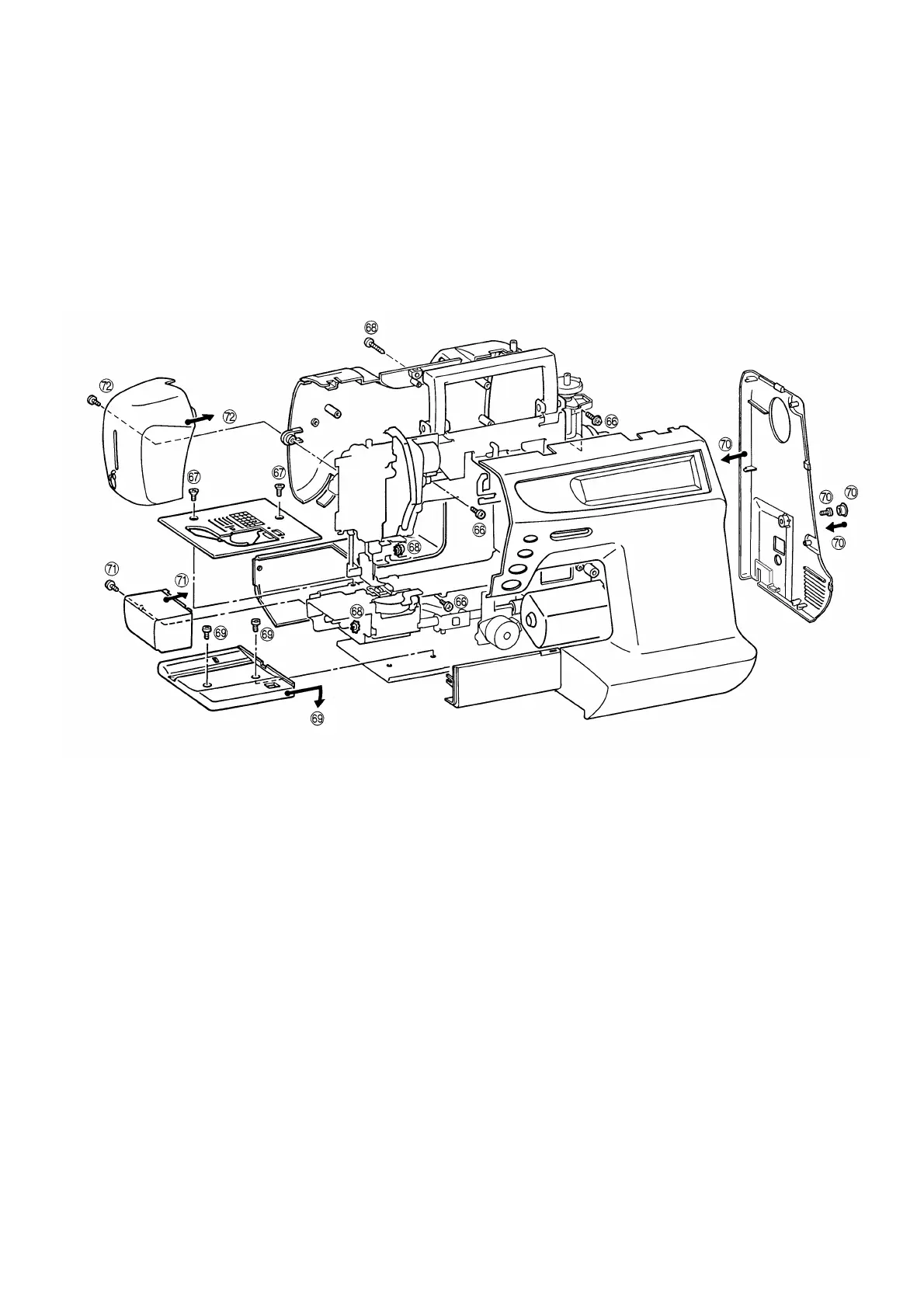
66. Attach the rear cover using the three screws.
67. Attach the needle plate assembly using the two screws.
68. Connect the four connectors, and attach the front cover using the three screws.
69. Insert the base cover into the base plate and attach using the two screws.
70. Attach the belt cover using the screw, and fit the blind cap on.
71. Attach the free arm cover using the screw.
72. Attach the face plate using the screw.




 To Next Page