-25-
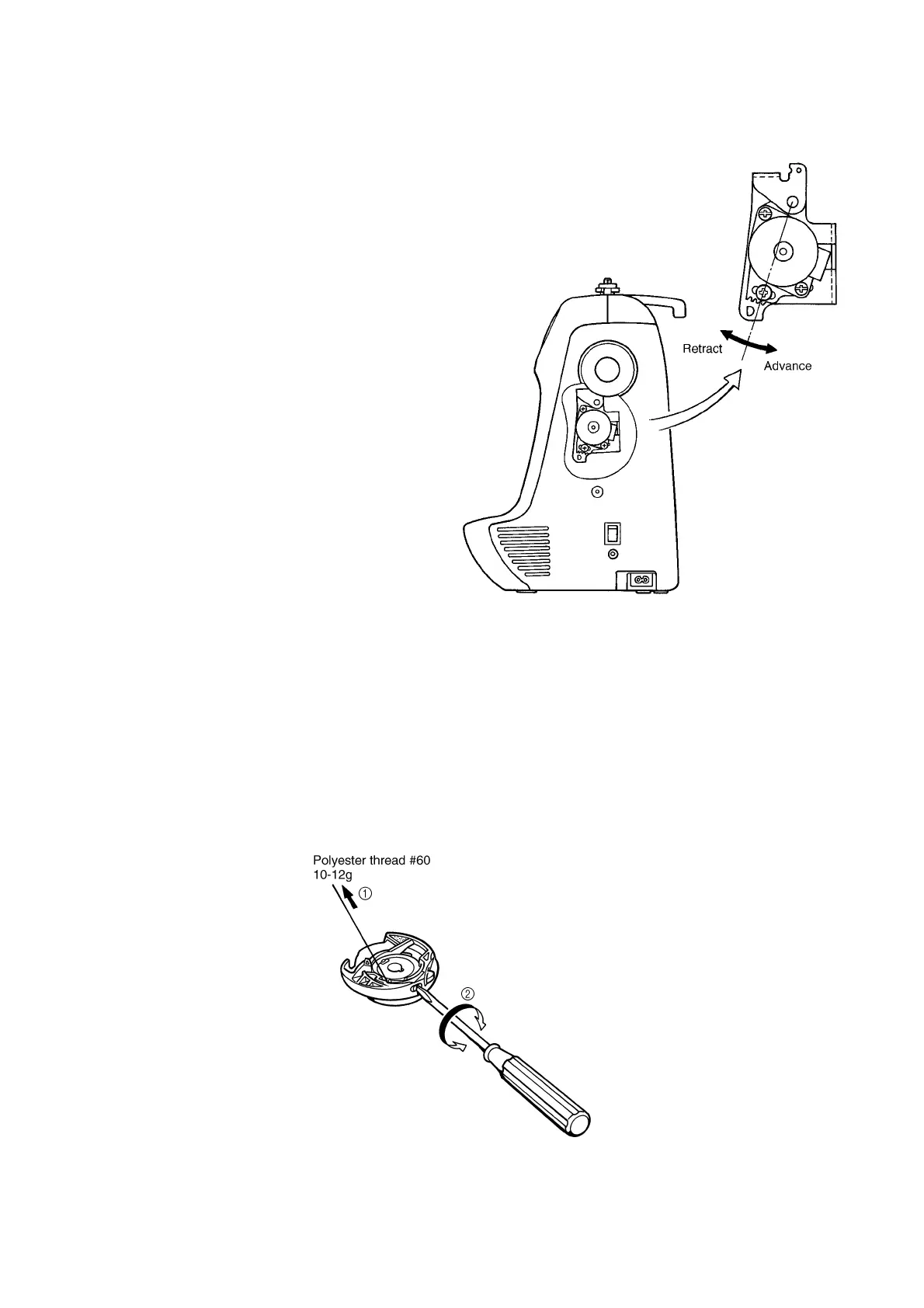
15. FEED ADJUSTMENT (VERTICAL FEED)
STANDARD
Adjustment of the pattern should be possible in test mode "3".
ADJUSTMENT
1. Loosen the screw securing the pulse motor.
2. Rotate the pulse motor and adjust the pattern.
* Make sure not to contact the main PC board
during the adjustment.
3. Tighten the screw securing the pulse motor.
16. INNER ROTARY HOOK TENSION
STANDARD
While slowly pulling polyester thread #60 using a tension gauge, inner rotary hook tension should be 10-12g. The
difference between this and the tension for silk thread (#80) should be 2-3g.
ADJUSTMENT
1. Pass polyester thread #60 through the inner rotary hook correctly, and pull it using the tension gauge.
2. Adjust the tension by turning the screw to either the right or left using a screwdriver.
NOTE: After adjusting the tension, lock the screw with paint.





 To Next Page