EasyManua.ls Logo

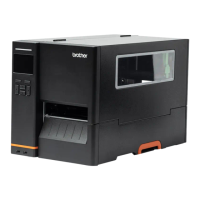
Brother TJ-4420TN - User Manual

Brother TJ-4420TN
92 pages
Print Icon
To Next Page IconTo Next Page
Loading...
User's Guide TJ-4420TN/TJ-4520TN/TJ-4620TN/TJ-4422TN/TJ-4522TN
TJ-4420TN/TJ-4520TN/TJ-4620TN
TJ-4422TN/TJ-4522TN
User's Guide (English)
© 2020 Brother Industries, Ltd. All rights reserved.
Version 02
ENG

Table of Contents

Other manuals for Brother TJ-4420TN

Questions and Answers

Summary

Introduction to the Label Printer

Product Introduction

Overview of the label printer's features, design, and capabilities.

Printer Operations Overview

Unpacking and Component Identification

Instructions for unpacking the printer and identifying its components.

Front View Printer Components

Diagram and labeling of the printer's front external components.

Interior View Printer Components

Diagram and labeling of the printer's internal components.

Rear View Printer Components

Diagram and labeling of the printer's rear ports and controls.

Printer Control Panel and Interface

Explanation of the control panel, LEDs, buttons, icons, and screen navigation.

Printer Setup and Media Loading

Connecting Power and Loading Ribbon

Steps for connecting the power cord and loading the printer ribbon.

Loading Different Media Types and Modes

Procedures for loading label rolls, external media, and using peeler/cutter/rewind modes.

Improving Printer Print Quality

Adjusting Print Head and Ribbon Tension

Guide to adjusting print head and ribbon tension for optimal print results.

Adjusting Print Density and Media Settings

How to modify print density, darkness, and test different media.

Printing and Software Setup

Printer Driver Installation Guide

Instructions for installing printer drivers via USB, Bluetooth, Wi-Fi, and wired connections.

Creating Labels with BarTender

How to use BarTender software to design and print labels.

Printer Operation and Utilities

Power-on Utilities for Calibration and Testing

Procedures for sensor calibration, self-tests, printer initialization, and skipping programs.

Configuring Printer Settings

Setting Menu Options (FBPL;ZPL2)

Overview of setting menus for FBPL and ZPL2 printer languages.

Sensor, Interface, and Advanced Settings

Configuration options for sensors, interfaces, and advanced printer features.

Diagnostic Functions

Running diagnostic tests and checking printer status.

Brother Printer Management Tool (BPM)

Starting and Using the BPM Software

Instructions for launching and using the BPM software.

Auto-Calibrating Media Sensor with BPM

Using BPM to automatically calibrate the media sensor.

Product Specifications

Recommended microSD Card Specifications

List of approved microSD card models, capacities, and manufacturers.

Troubleshooting Printer Issues

Common Problems and Solutions

Guide to diagnosing and solving typical printer problems.

Error Messages and Their Meanings

Explanation of printer error messages, their causes, and solutions.

Printer Maintenance Procedures

Cleaning Print Head, Platen Roller, and Sensors

Procedures for cleaning the print head, platen roller, and sensors.

Brother TJ-4420TN Specifications

General IconGeneral
ColorNo
Print technologyThermal line
Maximum resolution203 x 203 DPI
Maximum printing width114 mm
Sustainability complianceYes
Sustainability certificatesENERGY STAR
DisplayTFT
Product colorBlack
Display diagonal3.5 \
AC input voltage100 - 240 V
AC input frequency50 - 60 Hz
AC adapter output current2 A
Server operating systems supportedWindows Server 2012, Windows Server 2012 R2
Windows operating systems supportedWindows 10, Windows 7, Windows 8, Windows Vista
Media thickness0.06 - 0.28 mm
Maximum roll diameter203.2 mm
Wi-Fi-
RS-232 ports1
Optional connectivityBluetooth, Wireless LAN
USB 2.0 ports quantity2
Connectivity technologyWired
Flash memory512 MB
Internal memory256 MB
Cables includedAC, USB
Harmonized System (HS) code84433210
Weight and Dimensions IconWeight and Dimensions
Depth326 mm
Width276 mm
Height502 mm

Related product manuals