3.
Set the
PAPER
SPEED switch on the Level Recorder
to
a suitable paper speed. This
will depend on the parameter and the duration
for
which recordings are
to
be made.
4.
Press the "Display" pushkey.
5.
Select the Transducer whose measurements are
to
be plotted on the Level Re-
corder, by pressing the appropriate TRANSDUCER pushkey.
5.1.4. Replaying
of
Stored Data Using Level Recorder Type 2317
1.
Connect and calibrate the Level Recorder as described in Sections
5.1.1
and 5.1.2.
2.
Press the "Replay/Plot" pushkey. The Display will indicate SELECT REPLAY
DATA.
Select the desired parameter
to
be replayed by pressing the appropriate
TRANSDUCER push key on the
Analyzer.
3.
Press the "Replay/Plot" pushkey on the Analyzer and allow a set
of
data
to
be
replayed from the Analyzer Memory. While data is being replayed the Display will
indicate REPLAY I
HG.
The replaying
of
memory data is completed when the Dis-
play indicates SELECT TRANSDUCER and the Analyzer returns
to
the "Display"
mode.
4.
Repeat items 2
to
3
for
other parameters.
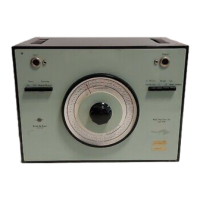
Fig. 5.4.
Recording
of
instantaneous
air
velocity
using
Level
Recorder
Type 2317
5.2.
X-V
RECORDER TYPE
2308
46
The
X-Y
Recorder Type 2308 is connected
to
the Indoor Climate Analyzer Type 1213
to
obtain permanent graphical records
of
measurements stored in the Analyzer Memory.
Two types
of
Recording Paper are available;
QP
3571
for
measurements in
metric
units
and
QP
3572 for measurements in imperial units. For full operating instructions consult
the Instruction Manual
for
the
X-Y
Recorder.



 To Next Page
 Loading...