Personnel:
n
Operator
1.
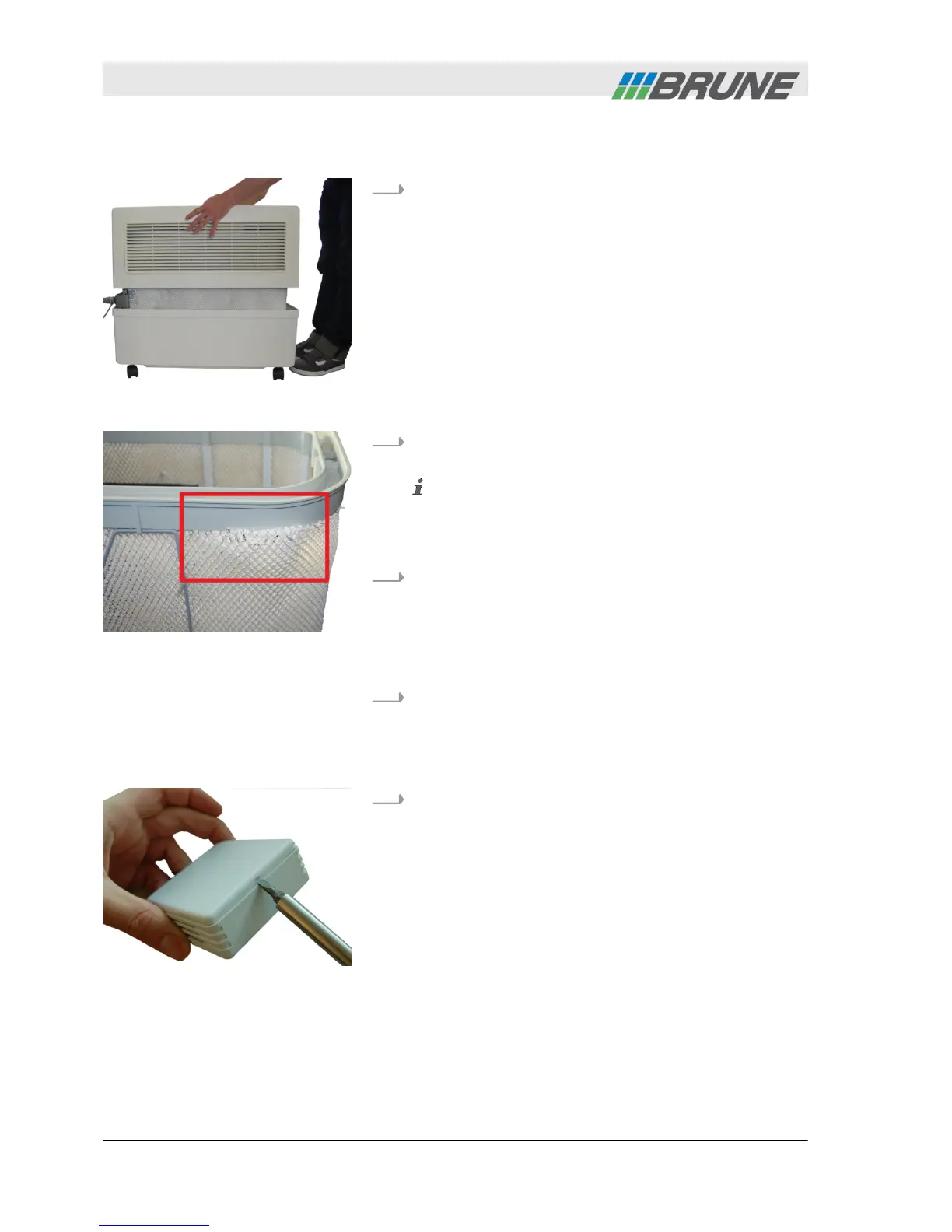
Lift the cover of the humidifier upwards and place
to the side (Fig. 9).
2.
Check device visually for defects and proper fit of
the filter.
Ensure that the filter fits against the entire length
of the water distribution within the U-shaped rail
(Fig. 10). If individual fibers of the filter stick out,
water may leak from the device.
3.
Remove the following items from the box at the
side:
n Power plug
n Wireless sensor system
n Remote control
4.
Replace cover of device.
Personnel:
n
Operator
1.
Carefully lift and remove the cover of the wireless
sensor system using a small screwdriver.
Preparation
Fig. 9: Remove cover
Fig. 10: Wrong fit of filter
Commissioning the wireless
sensor system
Fig. 11: Open cover
Commissioning
2013-11-04Evaporation Humidifier B500 Professional30



 To Next Page