2.
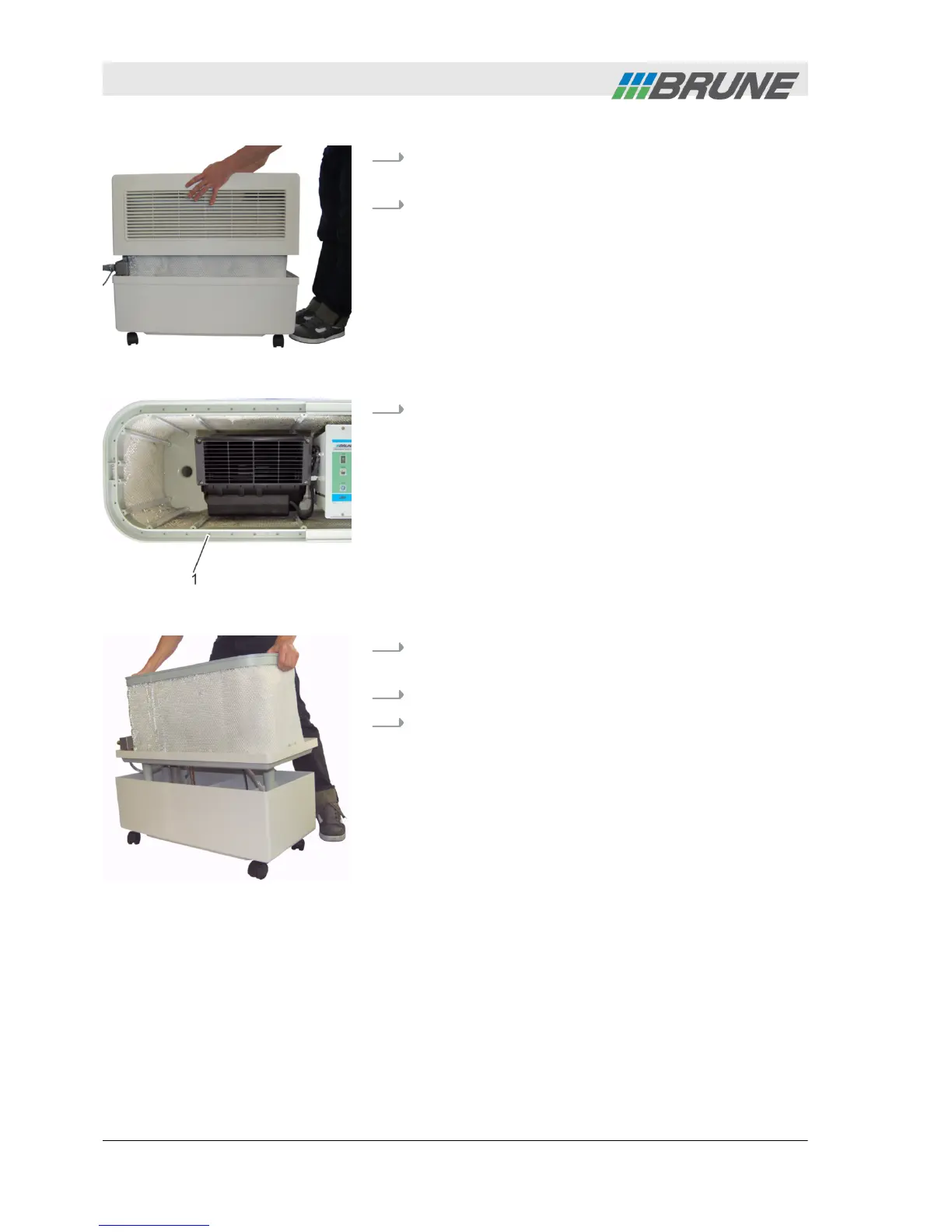
Lift the cover of the humidifier upwards and place
to the side (Fig. 23).
3.
Check the evaporation filter for contamination. In
case of severe contamination replace the evapora-
tion filter (
Ä
Chapter 6.3.2 “Replacing the evapora-
tion filter” on page 47).
4.
Check drainage holes of the water distribution
(Fig. 24/1) for clogging. Remove residues such as
lime or dust using a needle, a screwdriver or wet
shop-vac.
5.
Lift center piece from the water tank and place on
the lateral surface (Fig. 25).
6.
Empty residual water from water tank.
7.
Clean water tank with a sponge.
Fig. 23: Remove cover
Fig. 24: Clean drainage holes
Fig. 25: Remove center piece
Cleaning and servicing the humidifier
2013-11-04Evaporation Humidifier B500 Professional46



 To Next Page