4.
Unlatch the attachment hooks from the filter. Then
loosen the filter along the water distribution and
remove.
5.
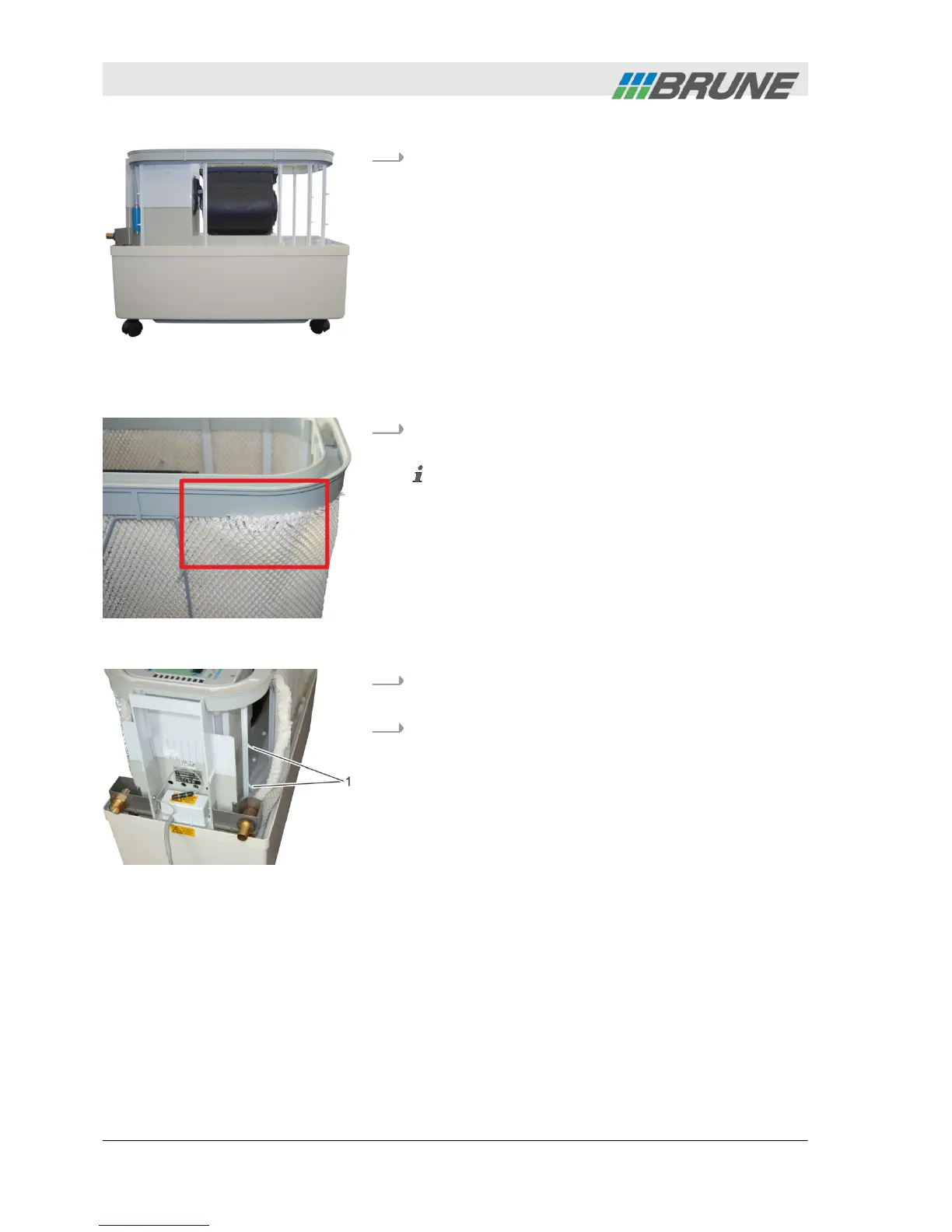
Insert new filter and fasten along the water distri-
bution.
Ensure that the filter fits against the entire length
of the water distribution within the U-shaped rail. If
this is not the case, water can leak from the device
(Fig. 30).
6.
Fasten filter on both sides to the attachment hooks
(Fig. 31/1).
7.
Check that the filter sits tight in the rail of the water
distribution and that no fibers stick out.
Fig. 29: Filter removed
Insert new filter
Fig. 30: Wrong fit of filter
Fig. 31: Fasten filter
Cleaning and servicing the humidifier
2013-11-04Evaporation Humidifier B500 Professional48



 To Next Page