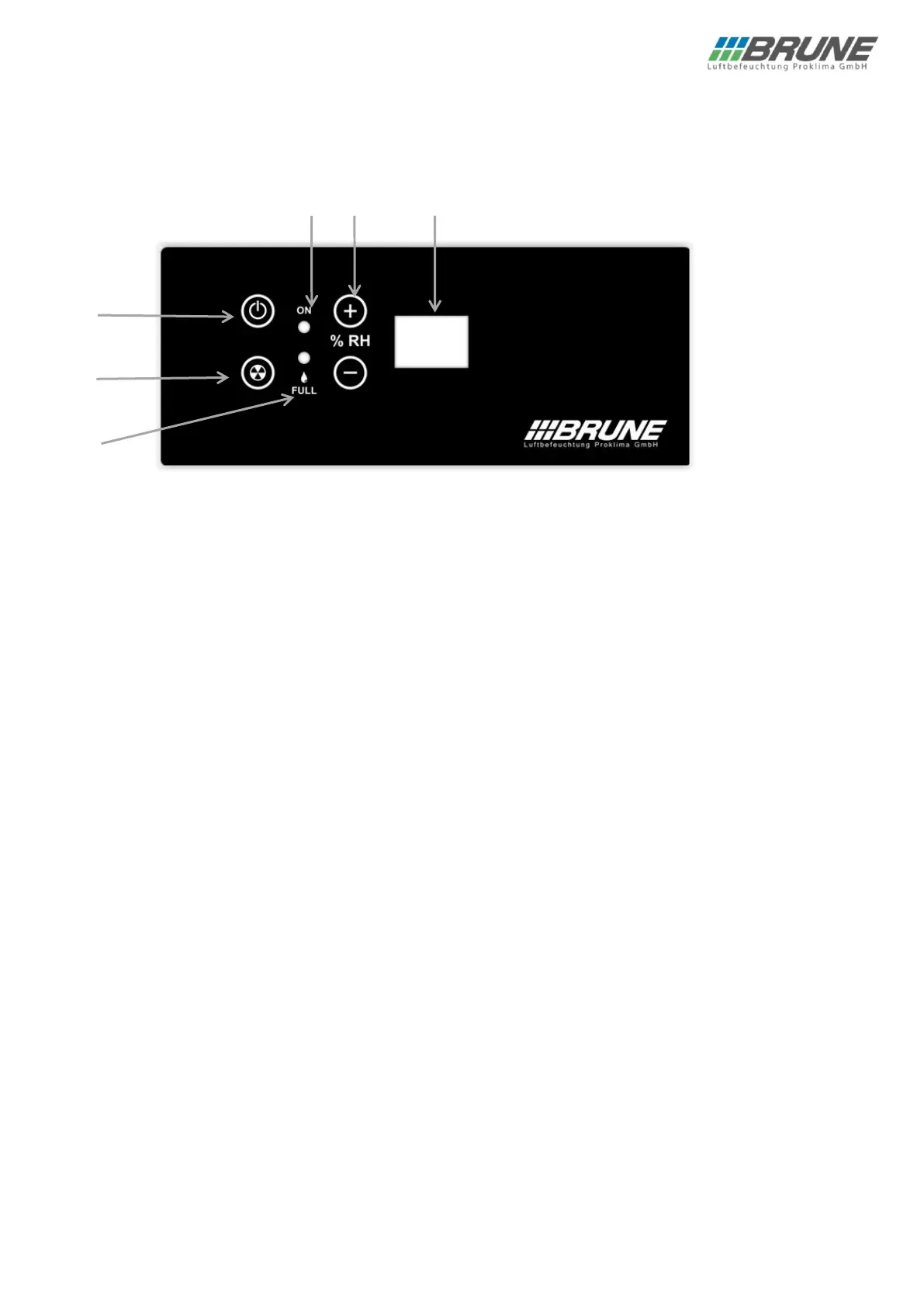
1) On/off key
Switches the machine on or off (standby mode).
2) LED “ON”
The “ON” LED lights up when the unit is supplied with mains voltage.
Attention: Before working on the unit, pull the mains plug.
3) SET key / Blower level key
You can change the menus in the special menu with the Set key. Also, blower level can be set. (level 1: high output, level
2: lower output) If blower level is changed, selected level is shown on the display. The display changes back to the current
ACTUAL humidity after a short time.
4) Control for the relative air humidity
Use the “+ % RH” and “- % RH” keys to set the desired relative humidity.
If one of the keys is pressed, the display changes from displaying the ACTUAL humidity to displaying the SET humidity.
Once the desired target humidity is set, the display changes back to the current ACTUAL humidity after a short time (3
seconds).
A SET value of 31-90 % relative humidity can be set. When the desired humidity is reached, the unit switches off
automatically.
The unit switches on at a difference of +1 between desired and actual value and switches off at a difference of -2. The
compressor has a minimum running and pause time of 1 minute, therefore it can switch on with a time delay.
If a SET value of 30 % relative humidity is set, the unit runs in continuous operation and does not switch off even after the
set value has been reached!
5) LED “Water tank full”
If the “FULL” LED lights up, minimum one of the two water tanks is either full or not correctly inserted.


 To Next Page