20 [EN]
Remove the tanks from the machine. In the special menu, use the set key to jump to menu A0 and activate the direct
drainage mode / condensate pump (A1) with the “- % RH”. When the direct drainage mode / condensate pump is
activated the red tank LED blinks continuously.
After you have made your settings, exit the menu by pressing the on/off key.
NOTE: If the tanks are re-inserted when direct drainage is activated, this function is automatically deactivated!
Display temperature of the evaporator or condenser
In the special menu, use the SET key to switch to EP (evaporator) or CO (condenser).
Current temperature conditions are displayed there.
After you have made your settings, exit the menu by pressing the on/off key.
8. AUTOMATIC DEFROSTING SYSTEM
During normal dehumidifying operation, ice may form on the evaporator. This dehumidifier is equipped with an
automatic hot-gas defrosting system. If ice is detected by the temperature sensor, it will defrost automatically according
to the following principle:
If operation lasts longer than one hour and the temperature on the evaporator falls below 0°C, the defrosting
process will start.
The blower continues to operate and supplies warm air to the evaporator, which melts the ice.
The next defrosting cycle will start after a minimum of approx. 1 hour.
9. WORKING MODE WITH CONDENSATE PUMP (OPTION)
Switch off the unit and disconnect the mains plug of the unit from the mains supply;
Remove the water tanks from the dehumidifier and empty them;
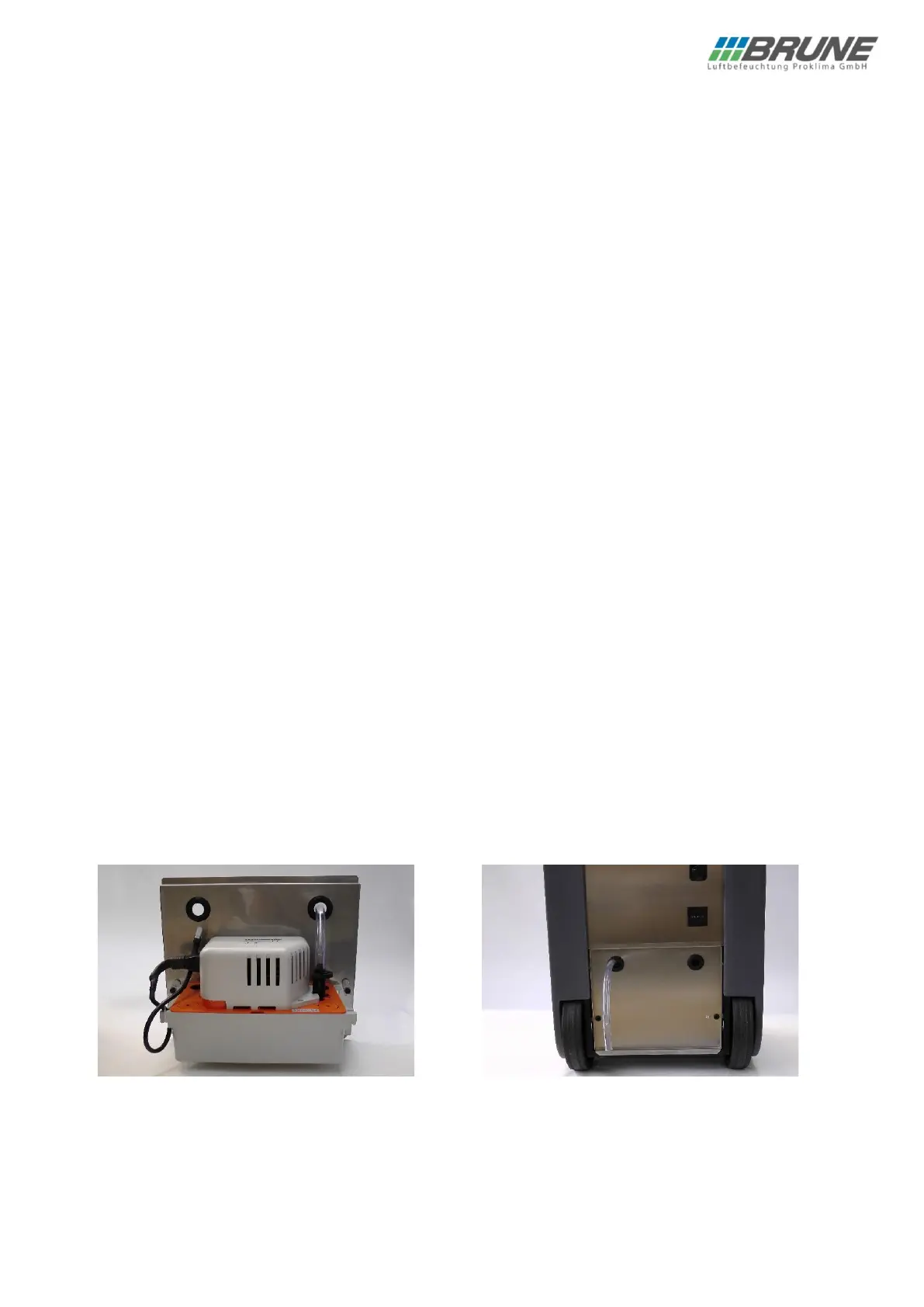
Now insert the pump plug into the corresponding socket on the device, which is located below the mounting plate
above the tanks. Insert the condensate pump with the bracket and turn the locking clips outwards in order to
fasten the condensate pump to the rear side of the housing;
If necessary, extend the hose to the intended collection container or drain.
NOTE: The maximum discharged head of our pump is 5 m.
Activate the operating mode of the condensate pump according to the instructions in the special menu.


 To Next Page