19 [EN]
Coupling the radio humidity transmitter with the dehumidifier
Menu Ad: Here you can couple the radio humidity transmitter to the unit. You can choose between 256 address codes.
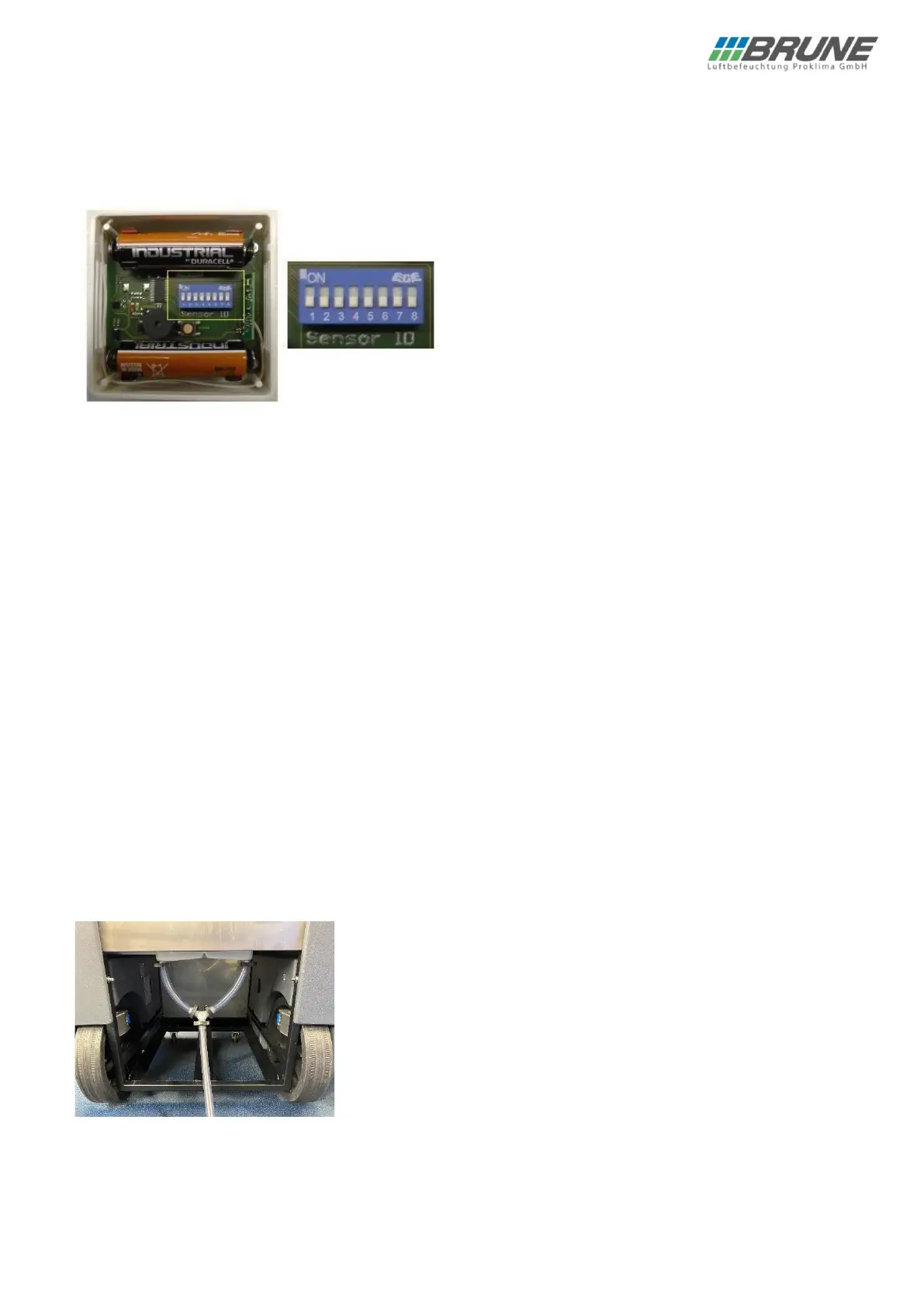
On the radio humidity transmitter, the setting is made with the 8-digit coding switch. You can find the corresponding
address code in the unit in the enclosed list.
Use the +/- key to select the desired radio code.
For better orientation, radio humidity transmitters within range transmit their current code to the device. You can
recognise this by a short beep and two flashing dots in the display next to the address code. Caution: If several radio
humidity transmitters are within range, different codes are displayed.
When setting the unit code, you can therefore use the table in the annex as a guide or follow the display of the
transmitted code of the radio humidity transmitter.
After you have made your settings, exit the menu by pressing the on/off key.
Activation/deactivation of the beep
In the special menu, use the SET key to switch to item b0. You can now use the “- % RH” to activate (b1) or
deactivate (b0) the audible signal.
After you have made your settings, exit the menu by pressing the on/off key.
Readjustment of the humidity display
With this function you can define a correction value. To do this, select OF in the special menu using the SET key. The
value can be set with the “+ % RH” and “- % RH” keys.
Setting range: -9% … +9% relative humidity
After you have made your settings, exit the menu by pressing the on/off key.
Activation of the "direct drainage" mode / condensate pump
If the “direct drainage” mode is activated, the water level sensor of the tank is deactivated! This suppresses the
switching off of the unit and the error message when the tanks are full.


 To Next Page