Appendix F Printing with Software
Revision A 9K-L USERS MANUAL Section F - 5
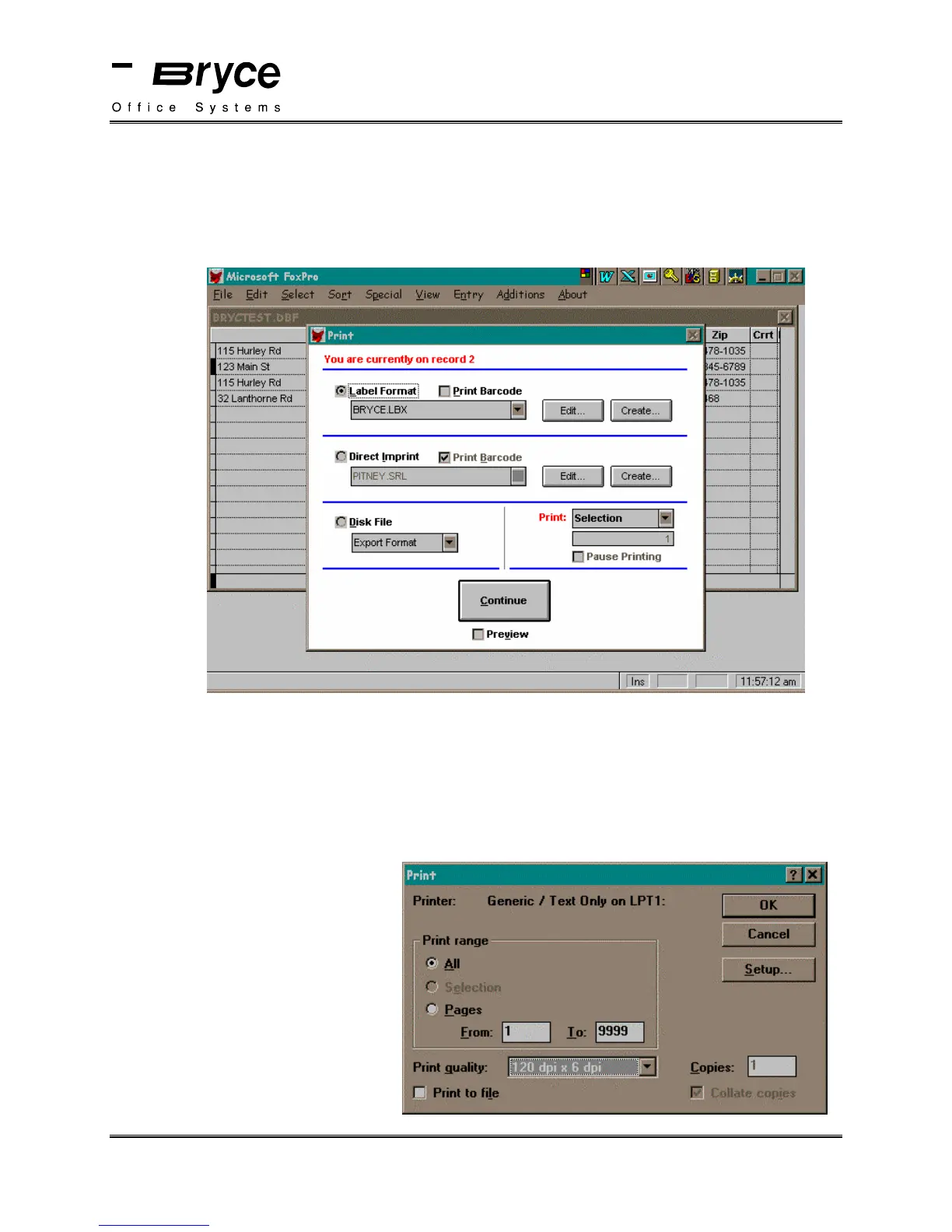
The Print window will be displayed. Select Label Format.
Ensure that there is not a check in the Print Barcode box.
Select the BRYCE.LBX label template.
Select Continue.
Another Print window will be displayed.
Ensure that the Generic/Text Only is the selected printer.
Choose the desired Print range.
NOTE:
1. Set the address setup option, in the Bryce setup menu, to 8 lines.
1. Ignore the print quality selection that is displayed in the Print quality section of the Print
window. The print quality you
desire can be set in the Bryce
Main Menu under the Print
Quality option.
Select OK to print to your Bryce
Address printer.
P/N 90-00860-001



 To Next Page