Assembly of Printer Components
3. Align the other end of the cable to the connector on the
computer and push into the port.
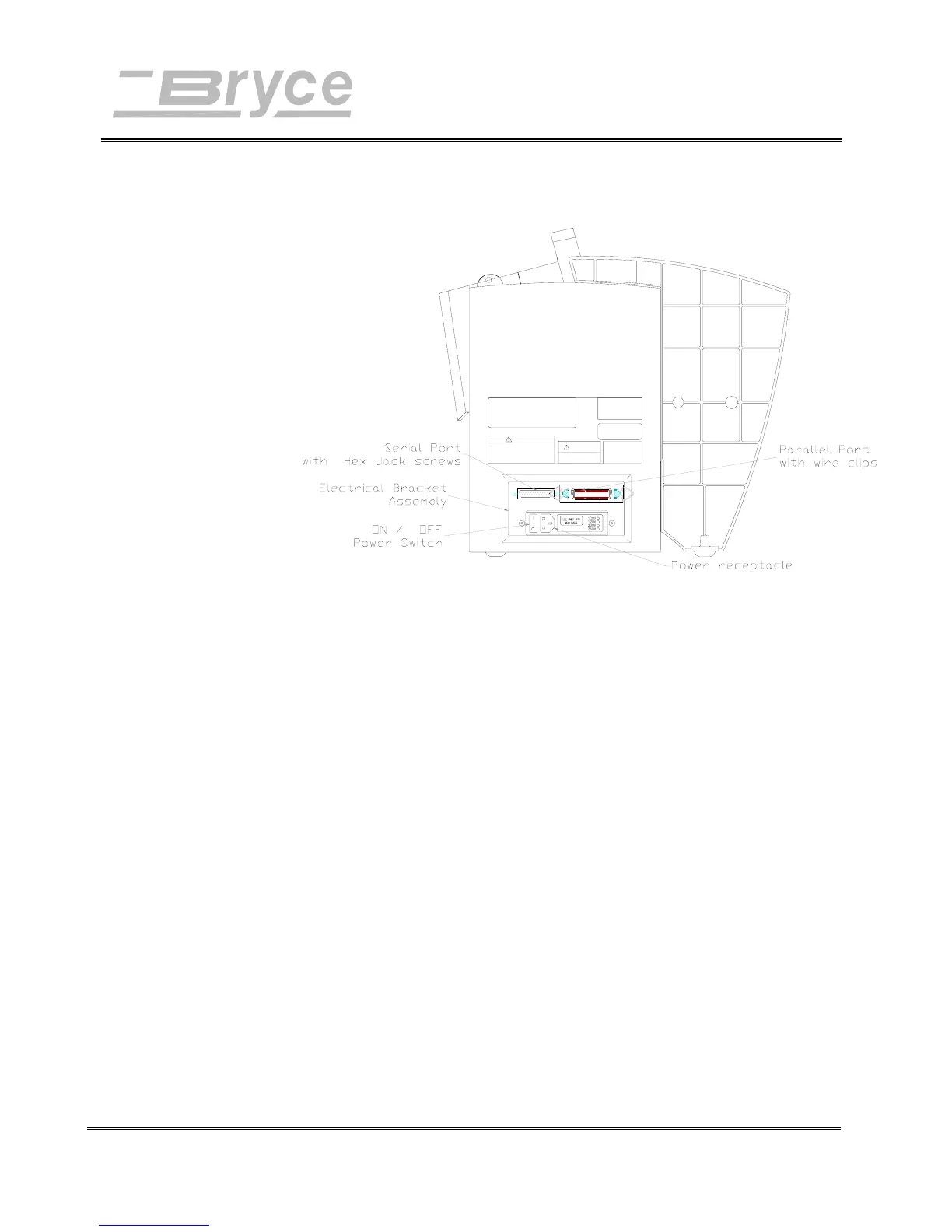
4. Secure the cable in place. Use the thumb screws on the
connector to screw into the hex jack screws on the
computer.
Connecting
the Power
Cord
The power cord receptacle is located on the Electrical Bracket
Assembly along with the ON/OFF (I/O) power switch.
Connect the power cord to a grounded outlet.
1. Push the female end of the power cord into the power
receptacle.
2. Plug the other end into a grounded power outlet.
Revision A 9K-L USERS MANUAL Section 3 -
P/N 90-00860-001
5



 To Next Page