Appendix F Printing with Software
Revision A 9K-L USERS MANUAL Section F - 30
When the template is created, you must choose a form.
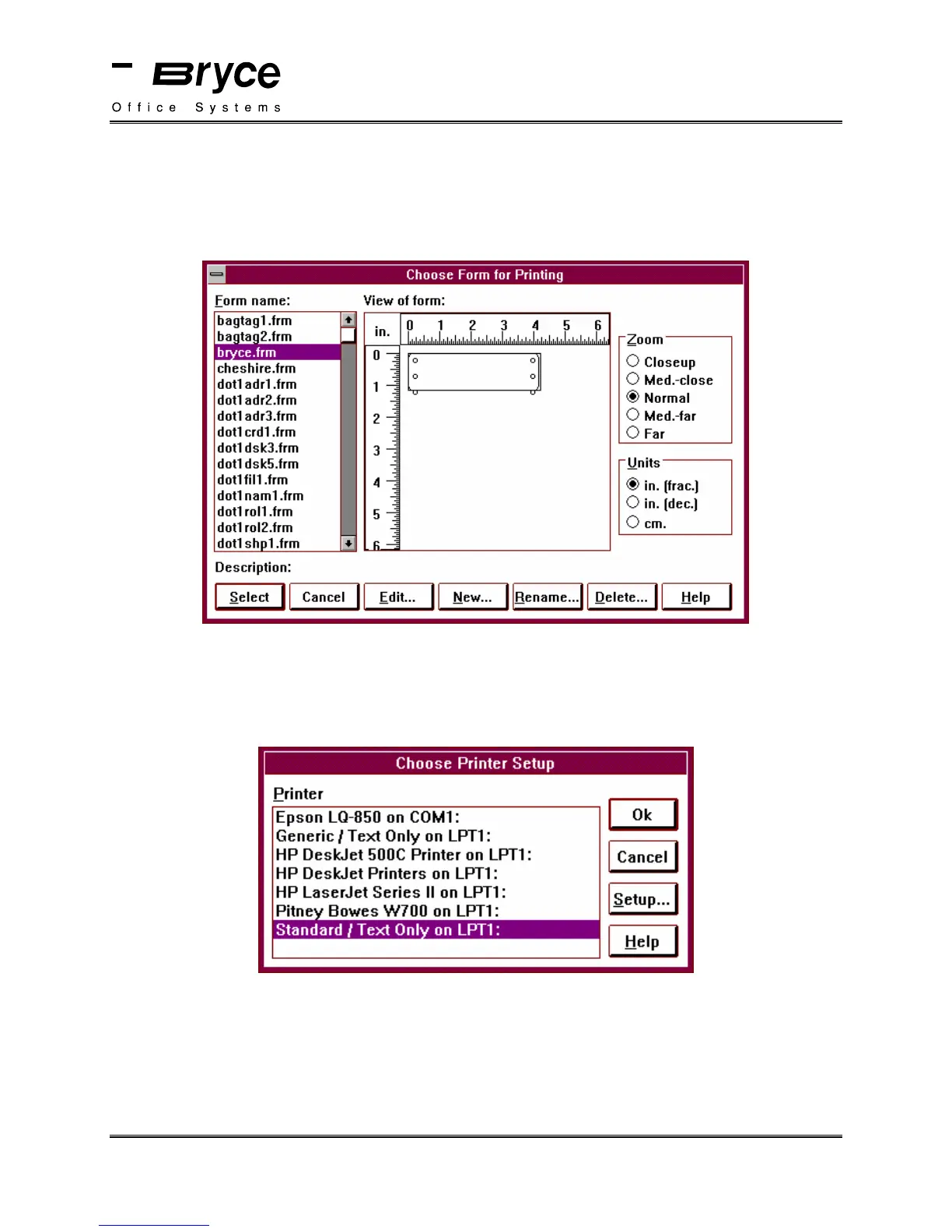
Select Choose Form from the Print Menu.
Select bryce.frm from the Choose Form for Printing Menu (shown below).
The next step is to select a printer.
Select Choose Printer from the Print Menu.
Select Standard/Text Only, (as shown below).
Click on OK
Set the ADDRESS SETUP, located in the Bryce printers Setup Menu, to 8 lines.
You are now ready to print.
Select Print Labels from the Print Menu.
P/N 90-00860-001



 To Next Page