Need help?
Do you have a question about the Brydge 10.2 and is the answer not in the manual?
How to check the Brydge keyboard's battery level using LED indicators.
Instructions on how to charge the Brydge keyboard and interpret charging LEDs.
Details on device compliance with FCC and Industry Canada regulations.
Information on Brydge, Apple, and Bluetooth trademarks and copyrights.
 General
| Keyboard layout | QWERTY |
|---|---|
| Multimedia keys | Yes |
| Pointing device | No |
| Keyboard language | Nordic |
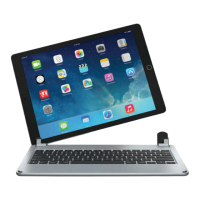
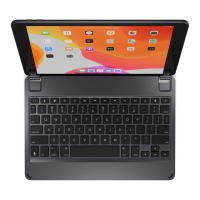
| Compatibility | iPad (7th Gen), 10.2-inch iPad |
| Product color | Silver |
| Backlight color | White |
| Housing material | Aluminum |
| Brand compatibility | Apple |
| Maximum screen size | 10.2 \ |
| Device interface | Bluetooth |
| Bluetooth version | 4.0 |
| Connectivity technology | Wireless |
| Battery type | Built-in battery |
| Power source | Battery |
| Battery lifetime | 1 year(s) |
| Cables included | Micro-USB |
 Weight and Dimensions
| Depth | 248 mm |
|---|---|
| Width | 172 mm |
| Height | 6.8 mm |
| Weight | 520 g |

 To Next Page