15
If you experience any problems, please call the Helpline on 0808 100 6554*
Whils
t using Talk Back you will not be
able to hear your baby until you
release the button.
Adjust speaker volume at the Parent unit
There are 5 volume levels (and off) on the Parent unit.
The LEDs indicate the level. The first 4 levels are shown as
green and the 5th level as red. Red is the highest level.
1. Press or to select the required level.
Talk Back
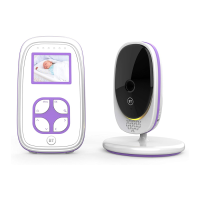
You can use the Talk Back feature to comfort and reassure
your baby.
1. Press and hold on the Parent unit to speak to baby.
The green link lights on both units flash.
2. Release to hear your baby again.
Adjust Talk Back volume
The Baby unit has 5 volume levels.
1. Press or on the Baby unit to increase or decrease
the volume. This also affects the lullaby volumes.
Using your BT Baby Monitor 100
The LEDs that indicate the volume
level of the Parent unit are actually the
second to sixth LEDs, since the first
LED is the link status indicator.
If is used on the Parent unit when
the volume is set to level 1 it will
activate the Mute function.
If the Par
ent unit has its volume
muted, pressing the button will
un-mute the Parent unit and set the
volume to level 3 automatically.



 To Next Page