16
If you experience any problems, please call the Helpline on 0808 100 6554*
Paging
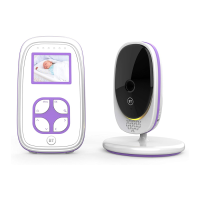
You can use the button on the Baby unit to find the
Parent unit. This will also reset the speaker volume level, in
case it has been switched off (muted).
1. Press on the Baby unit. If the Parent unit volume was set
to off (muted), this will automatically reset the volume to the
default volume. The paging alert will sound.
2. To stop the Page alert, press any button on the Parent unit, or
press again on the Baby unit. If no button is pressed, the
paging tone will stop after 2 minutes.
Nightlight
Set a comforting nightlight with a choice of three
brightness levels.
1. On the Baby unit, press to switch the nightlight On or Off.
2. Press repeatedly to select the brightness settings.
Using your BT Baby Monitor 100



 To Next Page