W e e k l y
E x a m p l e
W i n t e r
W e d 0 1 O c t 0 0 : 0 1
W e e k l y
E x a m p l e
W i n t e r
W e d
0 1
O c t
0 0 : 0 1
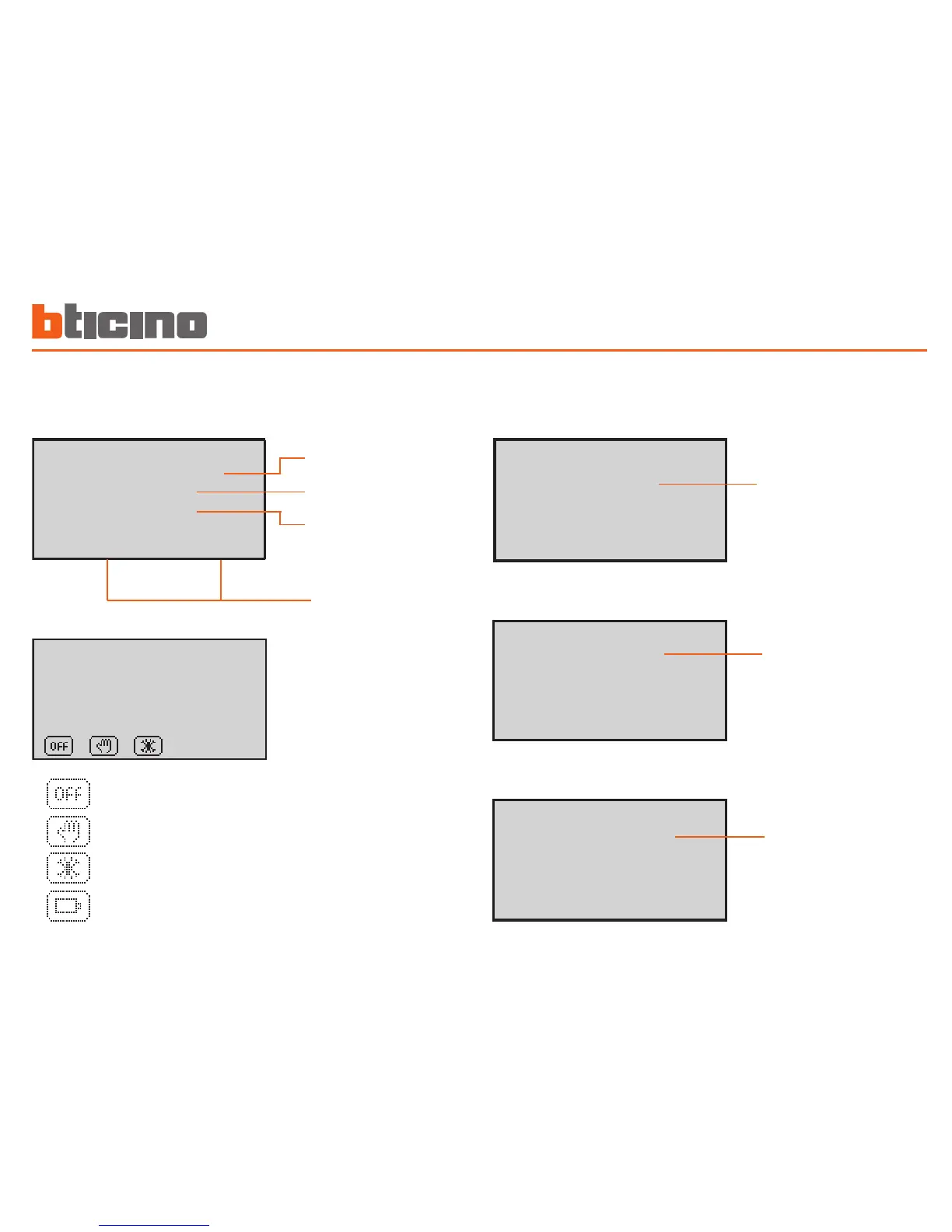
Date and time
Depending on the mode of
operation set, the display
shows the following icons:
One or more zones in OFF
One or more zones in MANUAL
One or more zones in ANTIFREEZE or HEAT PROTECTION
Program being run
State:
Winter (heating)
Summer (cooling)
Mode of operation
Battery flat
The display
During normal operation the display presents the following infor-
mation:
When the mode of operation is the same for ALL THE ZONES the
display shows the following windows:
A n t i f r e e z e
S y s t e m
W i n t e r
W e d 0 1 O c t 0 0 : 0 1
S y s t e m
o f f
W i n t e r
W e d 0 1 O c t 0 0 : 0 1
M a n u a l
2 2 . 0
W i n t e r
W e d 0 1 O c t 0 0 : 0 1
Manual:
all the zones in manual
A n t i f r e e z e
S y s t e m
W i n t e r
W e d 0 1 O c t 0 0 : 0 1
S y s t e m
o f f
W i n t e r
W e d 0 1 O c t 0 0 : 0 1
M a n u a l
2 2 . 0
W i n t e r
W e d 0 1 O c t 0 0 : 0 1
System in antifreeze:
all the zones in anti-
freeze
A n t i f r e e z e
S y s t e m
W i n t e r
W e d 0 1 O c t 0 0 : 0 1
S y s t e m
o f f
W i n t e r
W e d 0 1 O c t 0 0 : 0 1
M a n u a l
2 2 . 0
W i n t e r
W e d 0 1 O c t 0 0 : 0 1
System OFF:
all the zones in OFF


 To Next Page