50
Operation2
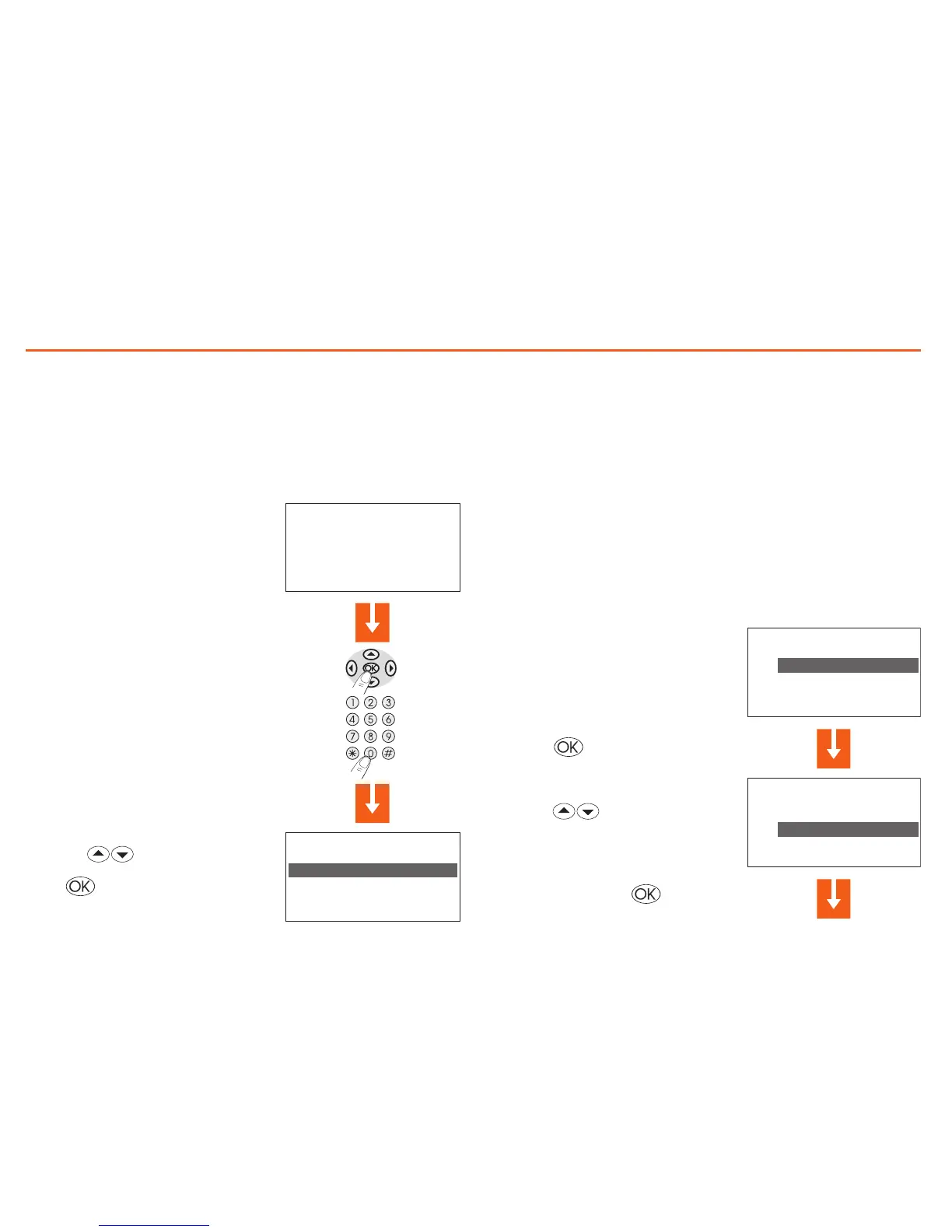
Access the Control Unit menu
Access to the Main menu lets you perform all the configuration
and checking operations described in this menu.
Press any key to access the Main
menu.
If enabled you will be asked for the
base User code 00000.
Use the keys to select the
menu you want;
press to confirm and access the
menu selected.
The Mode menu
The Mode menu lets you select the operation of your system, for
example selecting one of the weekly programs you have set up
or setting a fixed temperature for all the zones.
Select the Weekly mode
With the weekly mode your system works automatically following the
programming set. You can choose from three programs which you can
customise. Inside the programs the temperature can be differentiated
over 24 hours and for each day of the week as you require.
In the Mode menu select “Weekly”
Press the key to confirm


 To Next Page