52
Operation2
Select the Scenarios mode
The Scenario mode lets you set different temperatures in various zones
of the system with a single command. For example, if when cleaning you
intend to open windows in some rooms you can set a lower temperature
(or higher for cooling) to avoid wasting energy.
16 Winter scenarios and 16 Summer scenarios can be programmed.
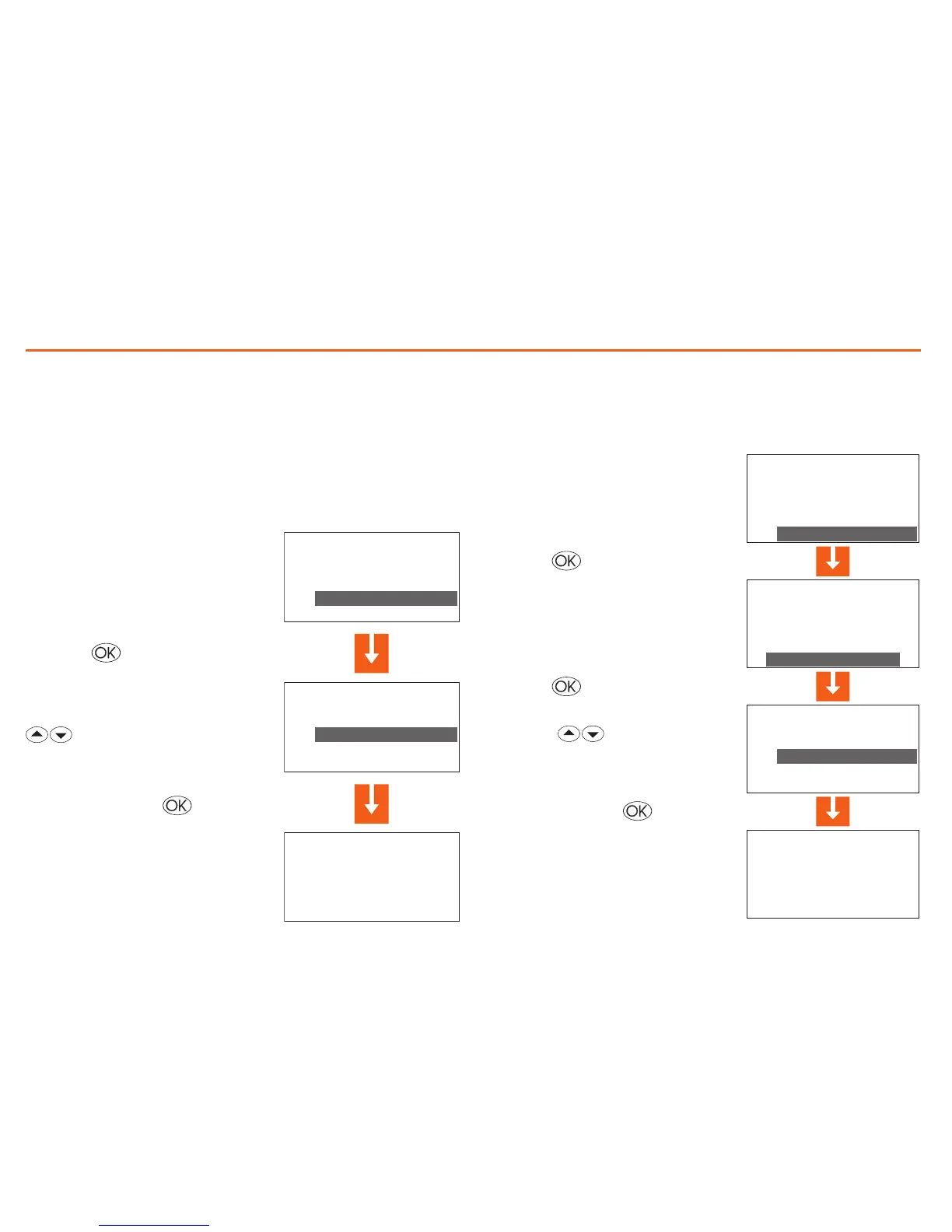
In the Mode menu select “Scena-
rios”
Press the key to confirm
Confirm by pressing
Select the Scenario required with
keys
Select the Holiday mode
The Holiday mode can select a particular daily profile for a set period.
The program is run until the programmed date and time, after which
the weekly program chosen will be reset.
In the Mode menu select “Holiday”
Press the key to confirm
Confirm by pressing
With the keys select the
weekly program to be reset at the end
of the Holiday


 To Next Page