64
Customisations4
Enable/disable the remote control
This setting lets you enable/disable your system’s remote control.
In particular you can use the remote control to find out the state of
each zone and perform the main commands and changes of mode.
For more information consult your My Home installer.
To end the programming and return
to the first window keep the key
pressed
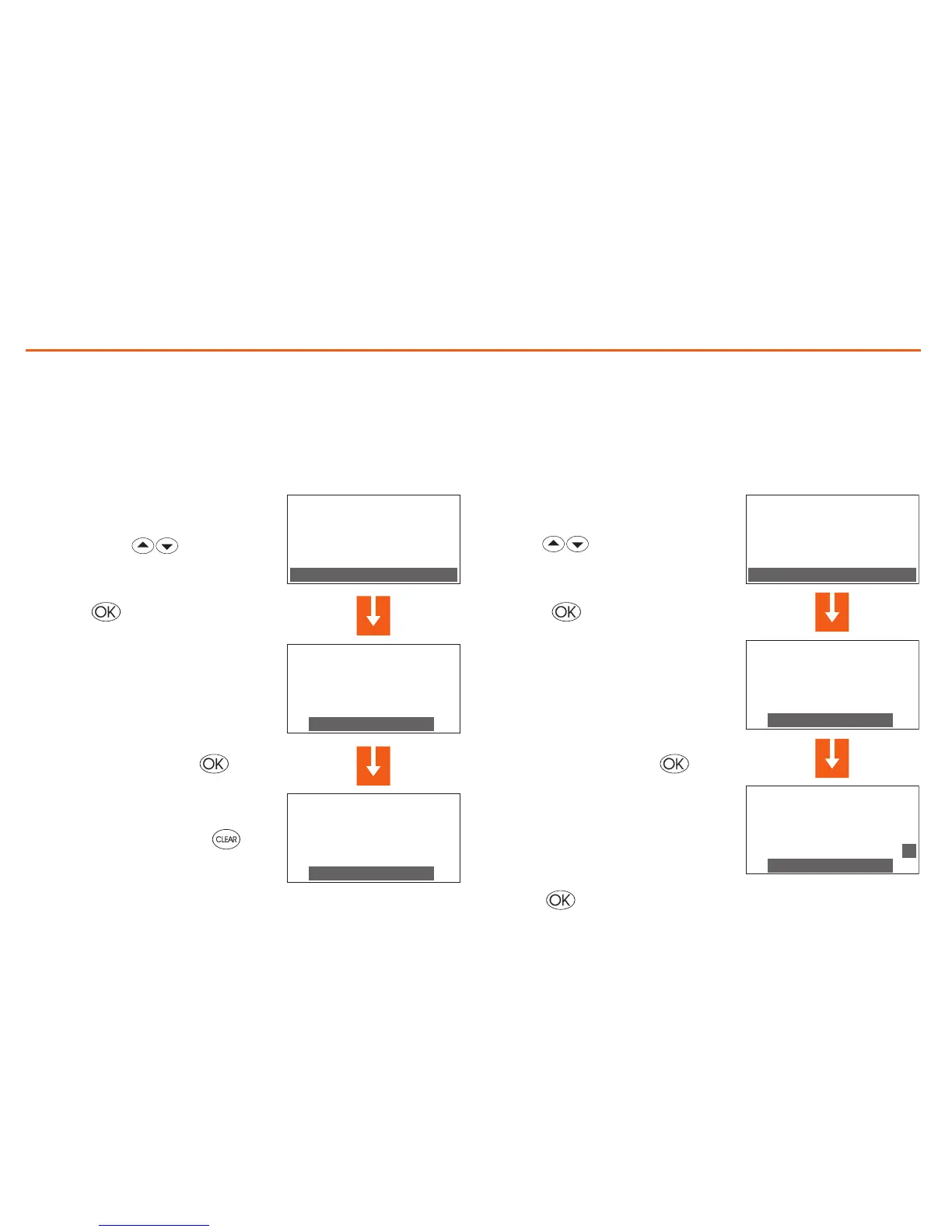
In the Setup menu select Remote
control with the keys
The display shows the win-
dow indicating the current state
(State: enabled)
To change the state press
Press the key to confirm
S ET U P
T em p e ra t u re
S um m e r/ W i nt e r
D at e / ti m e
R em o t e co n t rol
R EM O T E CO N T ROL
S ta t e :
e na b l ed
D is a b le
R EM O T E CO N T ROL
S ta t e :
e na b l ed
E na b l e
Note: The remote control base setting is enabled
Customise the User code
The Control unit is protected by a user code which prevents
unauthorised people from accessing the Main menu.
The base code is 00000, but you can replace it with any 5-figure
number.
In the Setup menu select User code
with the keys
Press the key to confirm
To change the state press
The display shows the window indi-
cating the current code (00000)
You can confirm the current code by
pressing or:
S ET U P
S um m e r/ w i nt e r
D at e / ti m e
R em o t e co n t ro l
U se r c o de
U SE R C O DE
S ta t e :
d is a b le d
E na b l e
U SE R C O DE
C ur r e nt : 0 0 0 00
N ew : 0 0 00 0
M em o r iz e
U SE R C O DE
C ur r e nt : 0 0 0 00
N ew : 6 7 89 0
M em o r iz e
U SE R C O DE
S ta t e :
e na b l ed
D is a b le
M od i f y
CONT
The display shows the win-
dow indicating the current state
(State: enabled)


 To Next Page