79
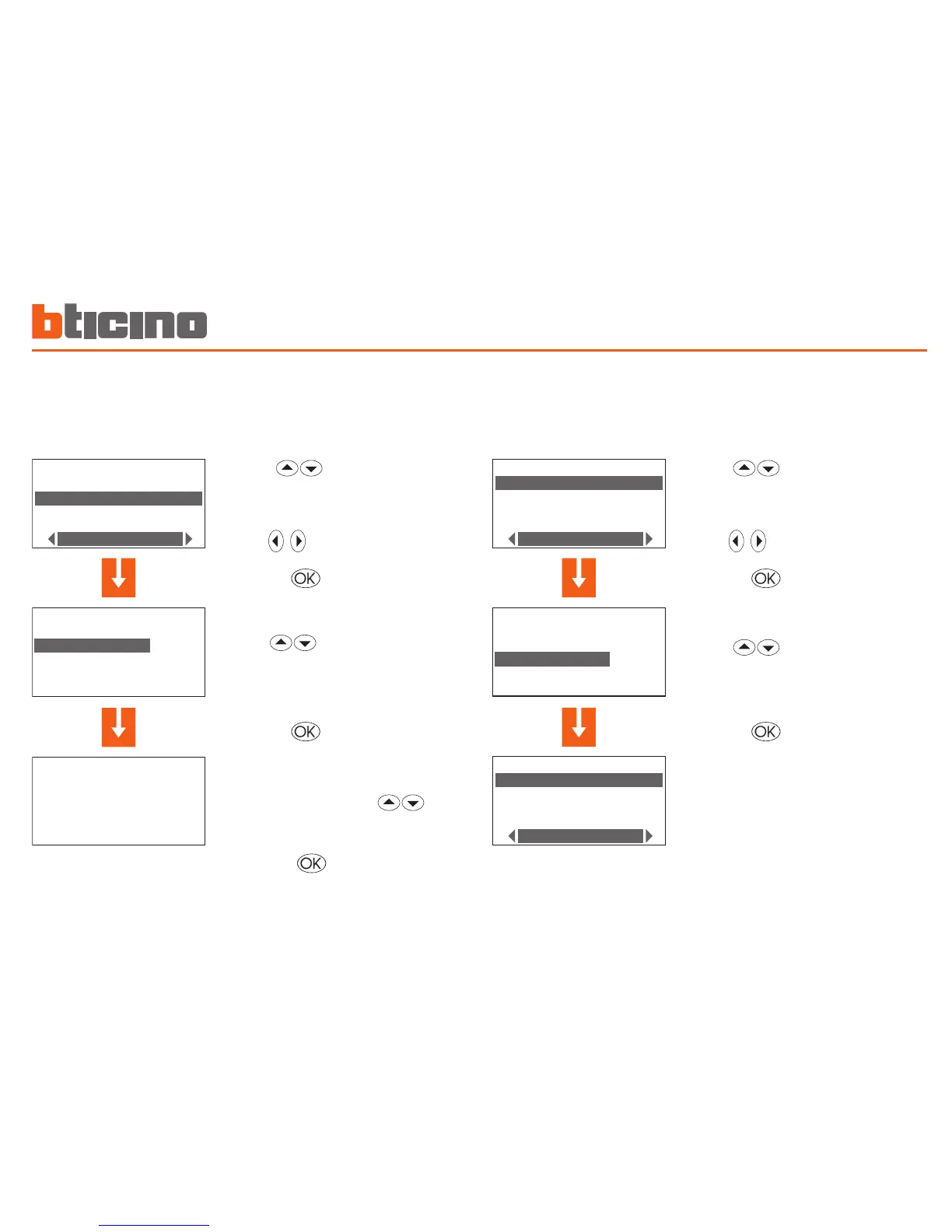
Modify a Scenario
Selecting this function you can modify the selected scenario associating
a temperature level to each zone.
Select the scenario to be
modified (E.g.: Night)
select the Modify function
Press the key to confirm
Select the zone (E.g.: Zone 1)
Press the key to confirm
Set the zone temperature using
the keypad or the keys
(± 0.5°C increment)
press the key to confirm, the
program returns to the previous
page.
Copy a Scenario
This function lets you copy one previously programmed scenario on
another.
For example copy Scenario 4 on Scenario 2
Press the key to confirm
Select the scenario to copy
into (E.g.: Scenario 1)
select the Copy from function
Press the key to confirm
Select the scenario to copy
(E.g.: Night)
Programming 5


 To Next Page