2
Service Functions
GB012 - 25K
5
2.3 Service Function Overview
2.3.1 1. Service Level
Operation
Change or query of a service function :
B Press mode, “+” and “-” button for 5 second. The service
function will be shown on Display (e.g. 1.2.C).
B Select the desired/requested service code with “+” or “-”
button.
B Press mode button again (for entering).
After that you will see the selected (default) value on
Display.
Changing / Adjustment of Value:
B Change the values with “+” or “-” button.
Storage/Save of Value :
B Press mode button until [ ] symbol will be shown on
Display.
Exit from Service Level :
B For the exit from service level press the mode, “+” and “-”
button for 5 second or Stand by button.
The flow temperature will be shown again on display.
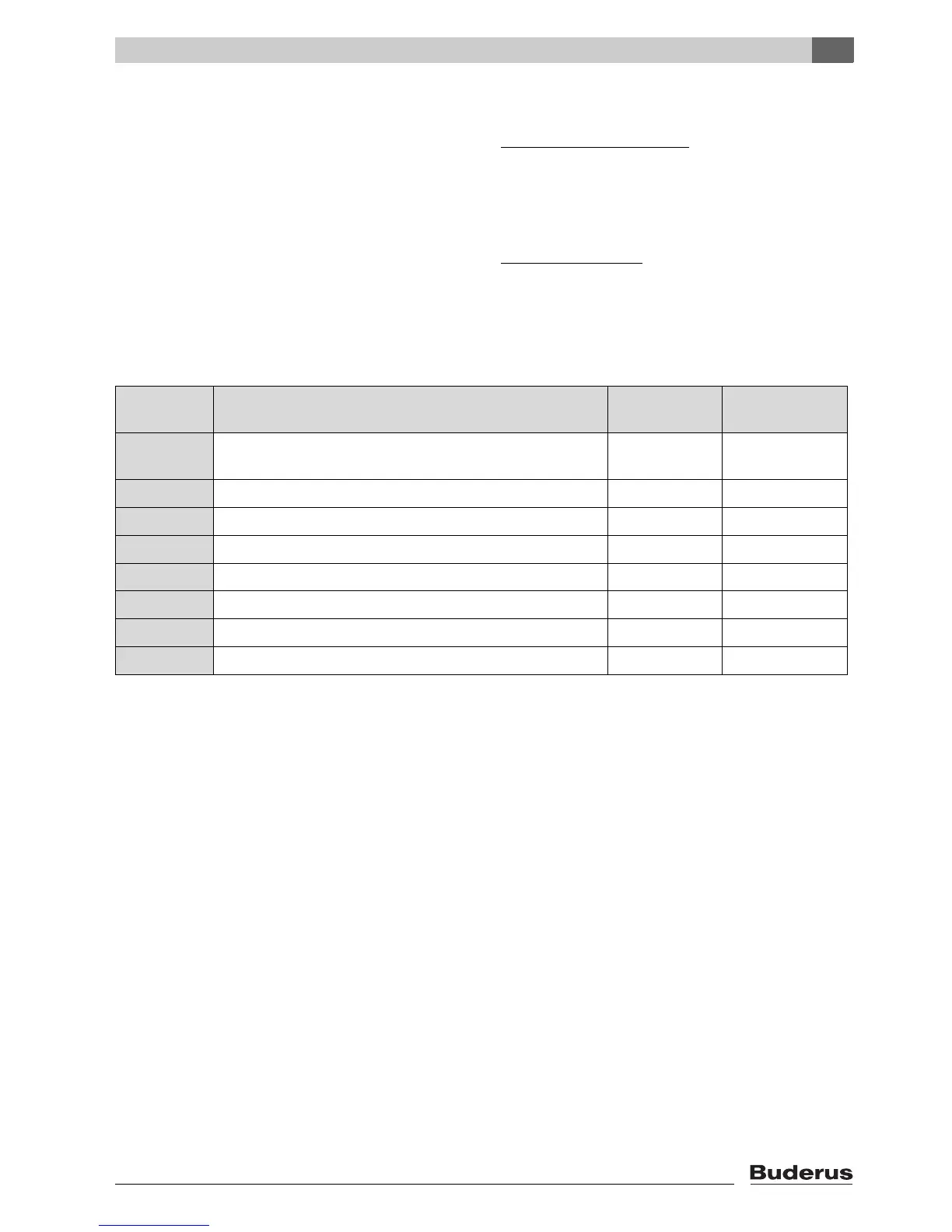
1. Level
Service Code Description Range
Initial (Factory
setting)
1.2.C Automatical Air Purging (0 = offý, 1= active ) Total time : 2 min.
and 20 sec on/off intervall
0 - 1 0
1.2.F Operating Mode : (0 = Normal, 3= min. output, 4 = max. output) 0, 3 , 4 0
1.3.b Burner Anticycling 1 - 10 min. 3 min.
1.3.C Burner start hysterisis (for flow temp. NTC) 0 - 10 K 5 K
1.5.b Fan overrun 1 - 18 (x10) sec. 3 (=30 sec.)
1.6.A Last failure on memory 00 - FF -
1.6.d Display actual water flow rate by turbine ( l/min. ) 0 - 99
1.7.A LCD Backligth (1 = on, 0 = off) 0 - 1 1
Tab. 2 1. level service functions







 To Next Page