• Click at the top-right of Settings and choose I'm here to have the TeraStation beep so it can be located easily.
Configuring Settings via Setup Wizard
When you access Settings for the first time, or after initializing the TeraStation’s settings, the setup wizard will
automatically appear to help you configure several TeraStation settings, such as RAID mode and proxy server
settings.
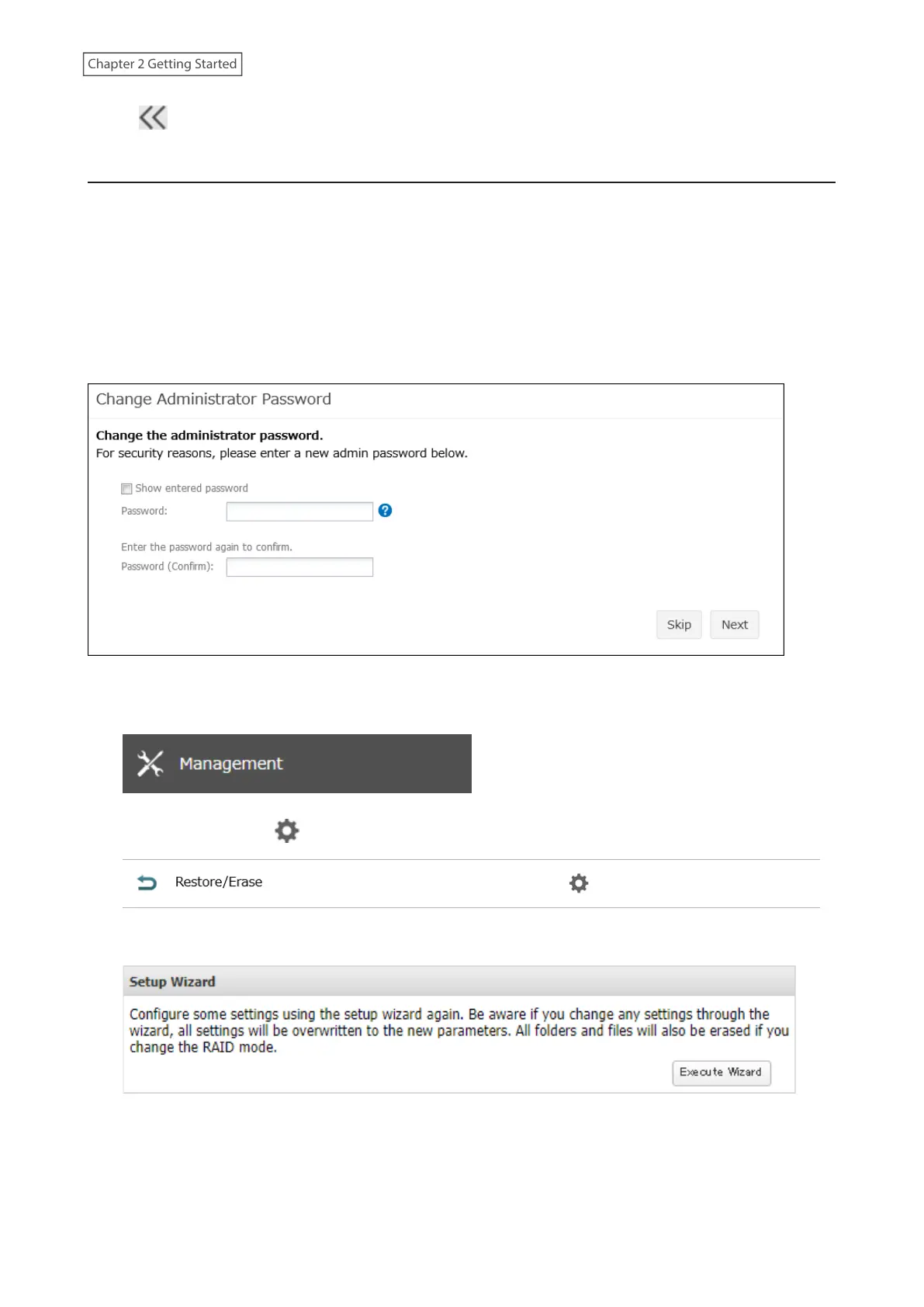
An example screen of the setup wizard is displayed below. Step through the wizard to configure any desired
settings. If there is any setting you would like to configure later, click Skip to move to the next setup wizard screen,
or click Cancel to exit the wizard. You may run the setup wizard at a later time after initial setup, or after system
initialization.
Example of Setup Wizard Screen
To launch the setup wizard at a later time, follow the procedure below.
1 From Settings, click Management.
2 Click the settings icon ( ) to the right of “Restore/Erase”.
3 Click Execute Wizard.
4 The “Confirm Operation” screen will open. Enter the confirmation number, then click OK.
5 Follow the procedure on the screen and finish the setup wizard.
22
Chapter 2 Getting Started













 To Next Page