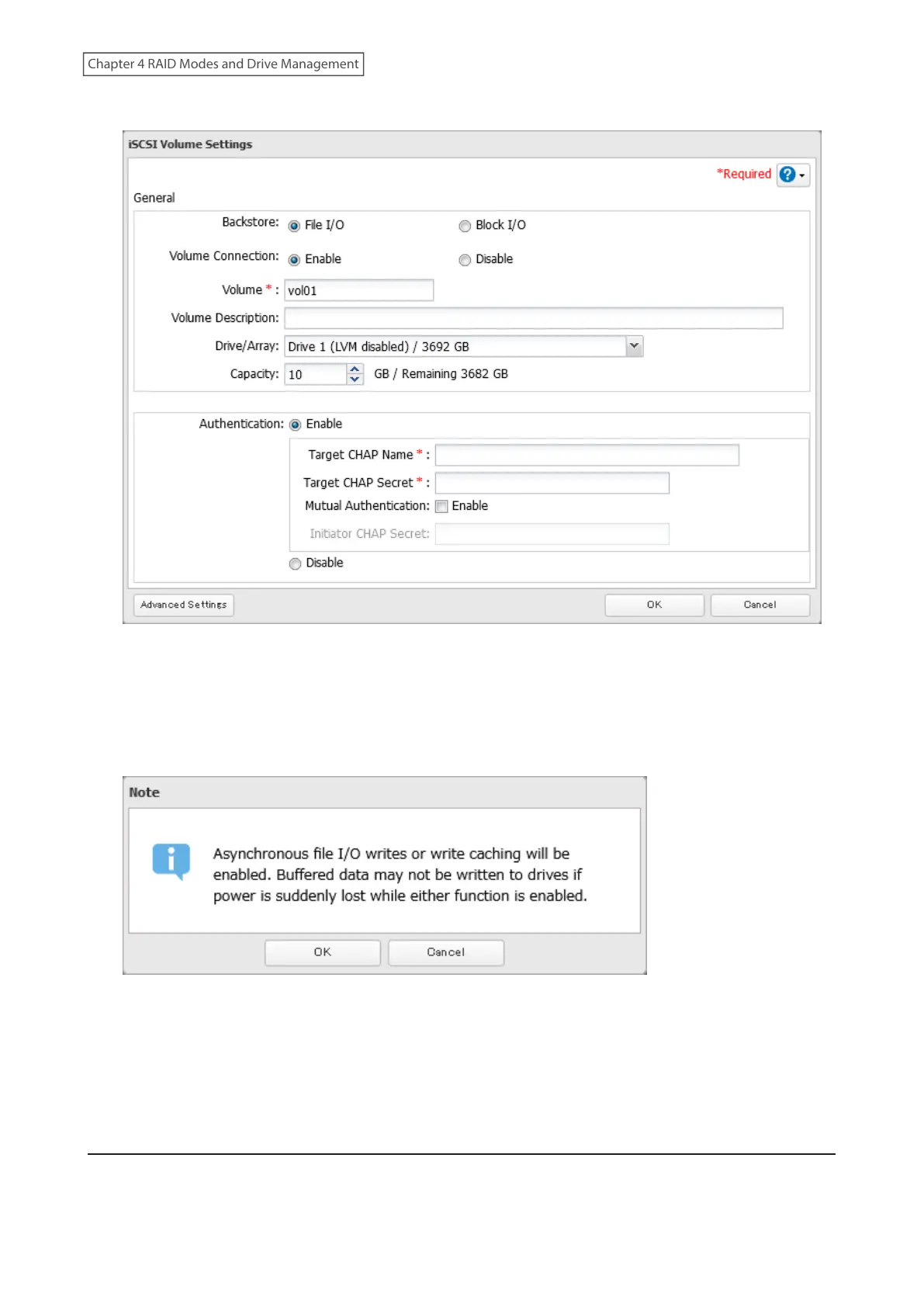
5 Configure the desired settings, then click OK.
Notes:
• If you have selected “Block I/O”, write cache (WCE) cannot be configured from the “Advanced Settings” page.
• If using both iSCSI volumes and shared folders on the same area, it is recommended to create either file I/O
volumes, or block I/O volumes with LVM enabled.
6 Read the message carefully and click OK.
7 The process is complete once you close the confirmation window that appears.
Note: If you click Disable Connection for the selected volume in Storage> iSCSI in Settings, the selected iSCSI volume
can no longer be accessed. If you click Enable Connection, the volume will become accessible from the iSCSI initiator
software.
Connecting Volumes
To connect a volume, follow the procedure below.
84
Chapter 4 RAID Modes and Drive Management













 To Next Page