hyphens (-). The first and last characters should not be a hyphen; do not use the following word as a hostname:
localhost.
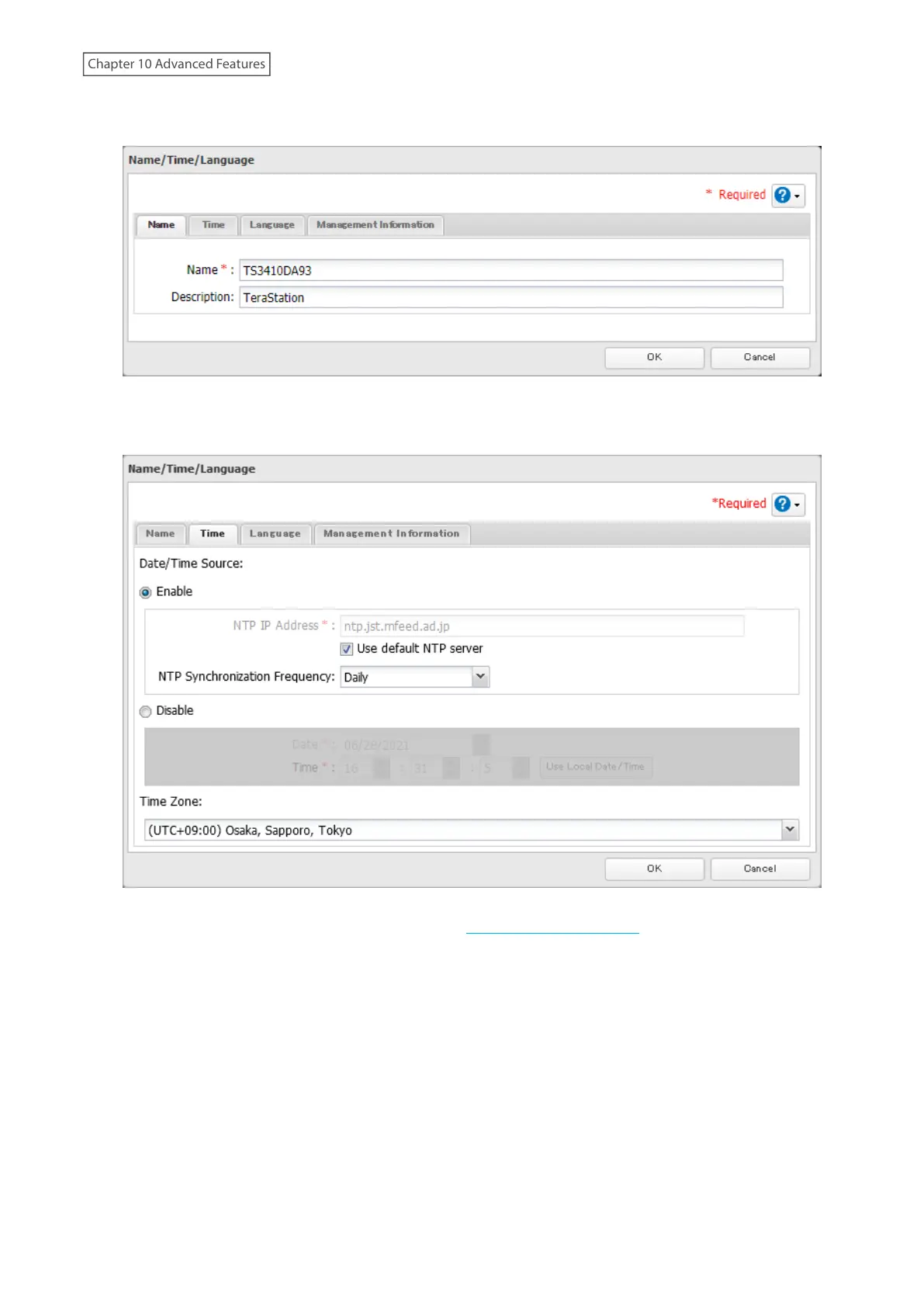
5 Click the Time tab. Enable “Date/Time Source” and select the “Use default NTP server” checkbox. If you disable
the NTP function, click Use Local Date/Time to use your computer’s time settings for the TeraStation.
By default, the TeraStation adjusts its clock automatically by using a default NTP server. This NTP server belongs
to Internet Multi Feed Inc. For more information, visit http://www.jst.mfeed.ad.jp.
To use a different NTP server, clear the “Use default NTP server” checkbox and enter a new NTP IP address or
its hostname, then click OK. If an NTP server is specified by name instead of IP address, make sure that a DNS
server is configured for the TeraStation.
Note: The internal clocks of the TeraStation and other devices on your network may run at slightly different
speeds. Over a long period of time, your network devices may show somewhat different times, which can
cause network problems. If clocks on your network vary by more than five minutes, unexpected behavior
may occur. For best results, keep all clocks on your network devices set to the same time by adjusting them
regularly, or use an NTP server to correct them all automatically.
244
Chapter 10 Advanced Features













 To Next Page