© 2014 ITW Renovation & Remodeling, a Division of Illinois Tool Works Inc. 11
Changing the HEPA Filter
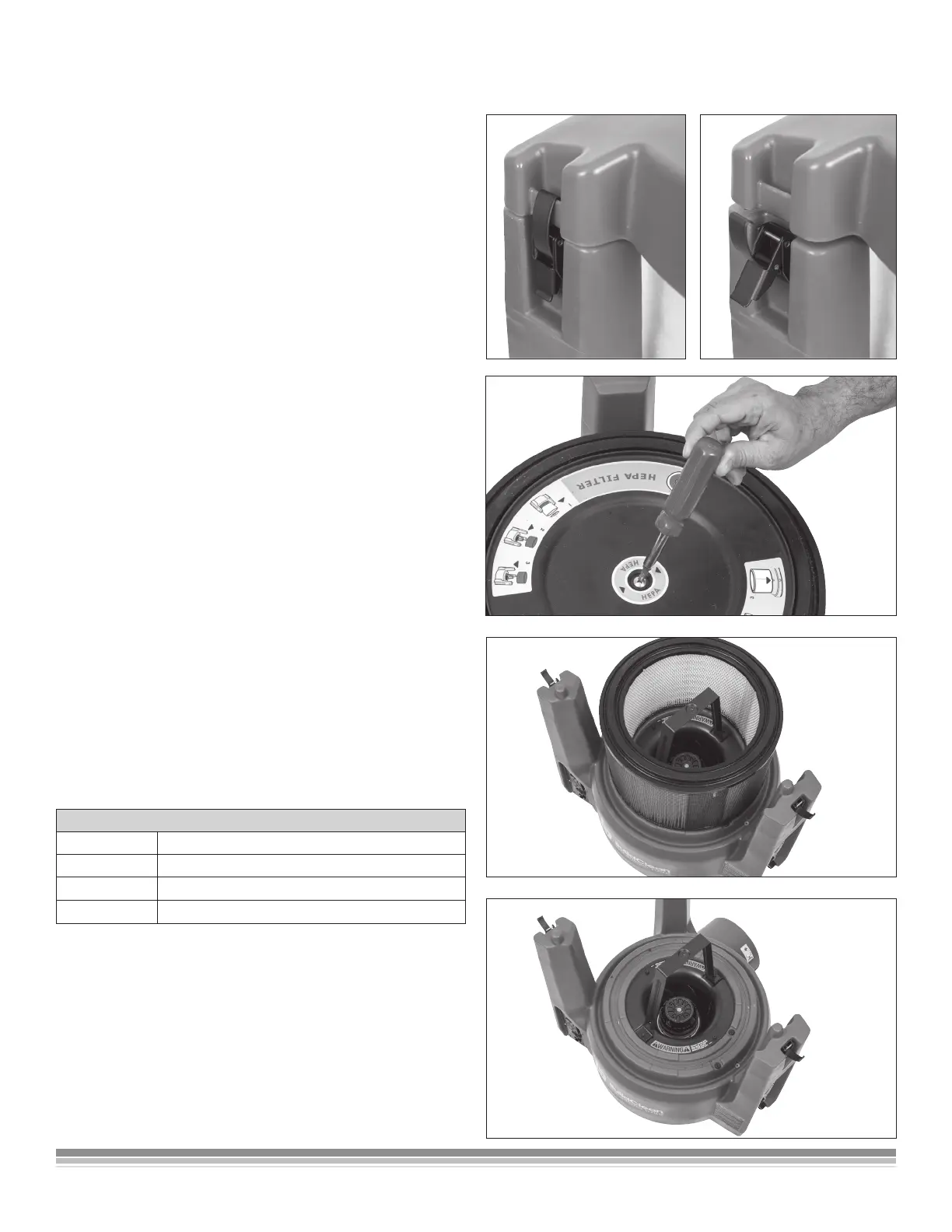
Removing the HEPA Filter
1. Turn the air scrubber OFF at the Main Power
Switch.
2. Remove the top cover of the air scrubber
by unlatching the three cover latches.
3. Carefully lift the pre-lter up and out of the
air cleaner.
4. To remove the HEPA lter, use a Phillips head
screwdriver to unscrew the retaining screw.
5. Remove the protective cover and set aside.
Gently lift up the HEPA lter and replace it
with Part# 512200.
Replacing the HEPA Filter
1. Remove the HEPA lter.
2. Replace the used HEPA lter with a new
BuildClean HEPA lter, Part #512200.
3. Place it on the base. There is no “top” or “bottom”
so it doesn’t matter which side is positioned up.
4. Set the protective cover on top.
5. Using a Phillips head screwdriver, screw in the
retaining screw.
Filter Maintenance
The BuildClean HEPA 360° Air Scrubber is equipped
with stop-light style LED display lights that indicate
the status of the pre-lter and HEPA lter. When the
display lights ash red, lter maintenance is needed
and the lters should be changed following the
instruction provided earlier in this manual
NOTE: FILTERS SHOULD BE REPLACED
IMMEDIATELY IF DAMAGED OR TORN.
FILTER LED LIGHT NOTIFICATION
Light Color Indication
GREEN Filter is clean and ready for use
YELLOW Notice that the lter is lling with particulate
RED At capacity - time to change the lter


 To Next Page