Basic Features
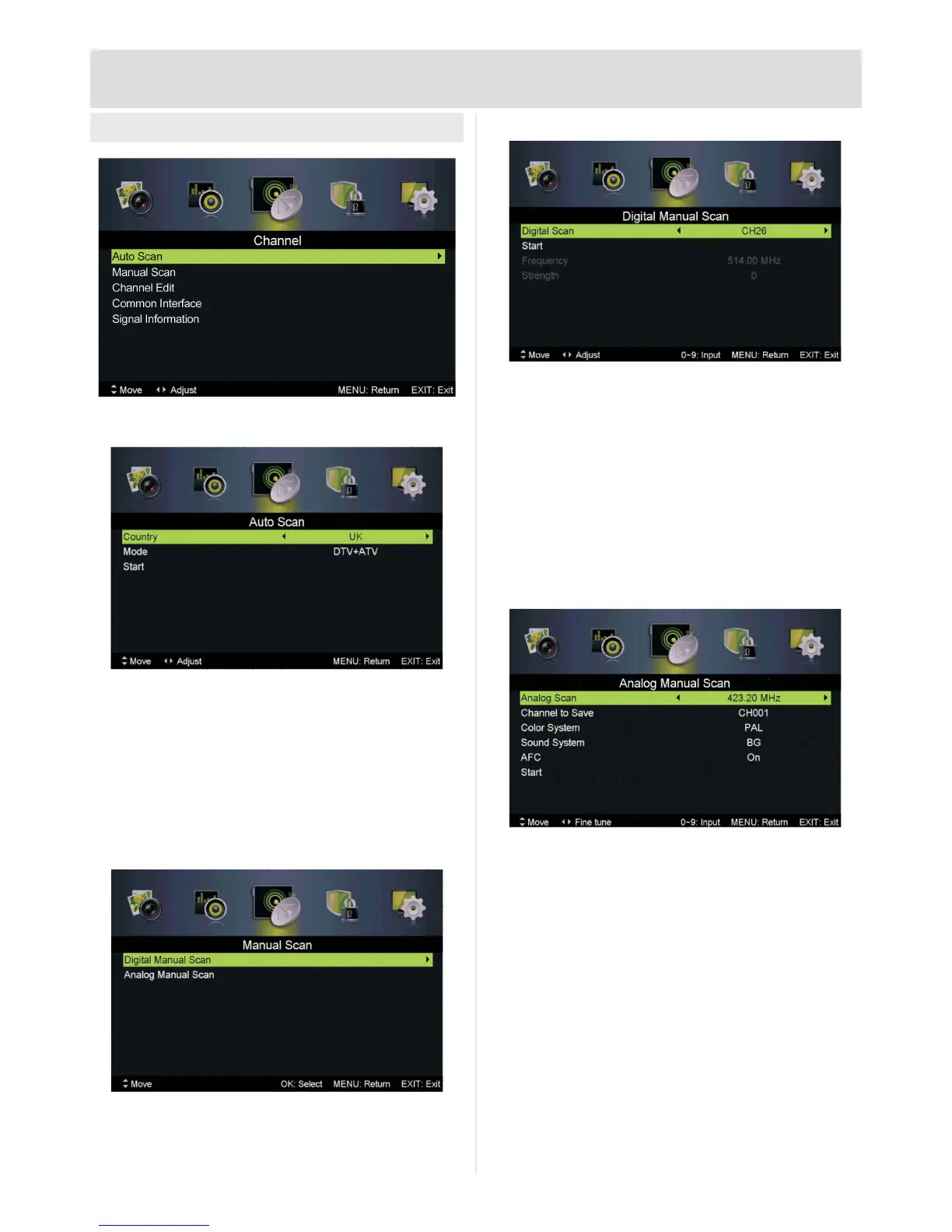
Channel Menu
Auto Scan
Country:Choosecountryofinstallation:UK,
Denmark, Finland, France, Germany, Hungary,
Italy, Netherlands, Norway, Poland, Portugal,
Russia, Serbia, Spain, Sweden
Mode: DTV, ATV, DTV+ATV
Start:Press►orOK to start tuning scan
Manual Scan
Digital Manual Scan
Digital Scan:CH--:Press◄►toadjust
channel
Start:Press►orOK to start tuning scan
Frequency: Channel frequency in MHz
(information only)
Signal: Signal strength for selected channel
(information only)
Analog Manual Scan
Analog Scan:--MHz:Press◄►toadjust
frequency
Channel to Save:Press◄►toadjustchannel
number to save to
Color System:Press◄►toadjust:Auto,PAL,
SECAM
Sound System:Press◄►toadjust:Auto,DK,
BG, I or L
AFC: Auto-FrequencyControl:Press◄►to
adjust: On or Off
Start:Press►orOK to start tuning scan



 To Next Page