8
Remote Control
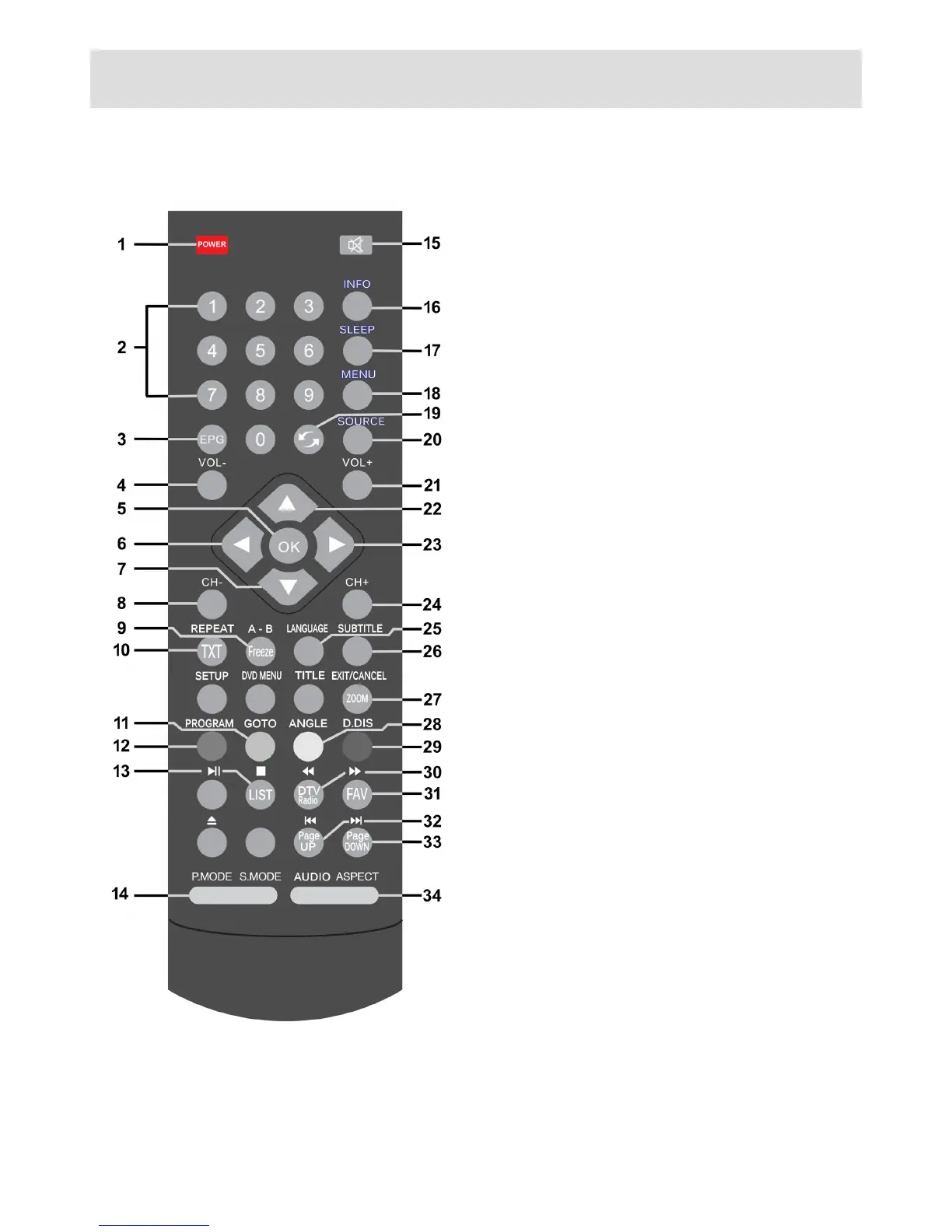
1. POWER: Switch TV in and out of standby
2. 0-9 Numeric keys: Number or channel entry
3. EPG: Display Electronic Programme Guide
4. VOL-: Decrease volume
5. OK:Conrmselection,showchannellist
6. Left arrow: Navigation
7. Down arrow: Navigation
8. CH-: Channel down
9. Freeze: Freeze picture on screen
10. TXT: Display/remove teletext
11. GREEN: Option button
12. RED: Option button
13. List: Display channel list
14. P Mode / S Mode: Cycle picture and sound
modes
15. MUTE: Toggle volume muting
16. INFO: Display channel/programme
information
17. SLEEP: Cycle sleep timer length
18. MENU: Display main settings menu
19. Swap: Swap to last channel (DTV)
20. SOURCE: Select input source
21. Vol+: Increase volume
22. Up arrow: Navigation
23. Right arrow: Navigation
24. CH+: Channel up
25. LANGUAGE: Cycle language options (DTV)
26. SUBTITLE: Display subtitles (DTV)
27. EXIT/CANCEL: Exit menu or cancel selection
28. YELLOW: Option button
29. BLUE: Option button
30. DTV/Radio: Toggle TV or radio mode (DTV)
31. FAV.: Display favourite list (DTV)
32. Page Up: Navigation
33. Page Down: Navigation
34. Audio / Aspect: Cycle audio mode and
picture size settings (audio V.I mode for
visually impaired)



 To Next Page