14
Basic Features
Menu operations
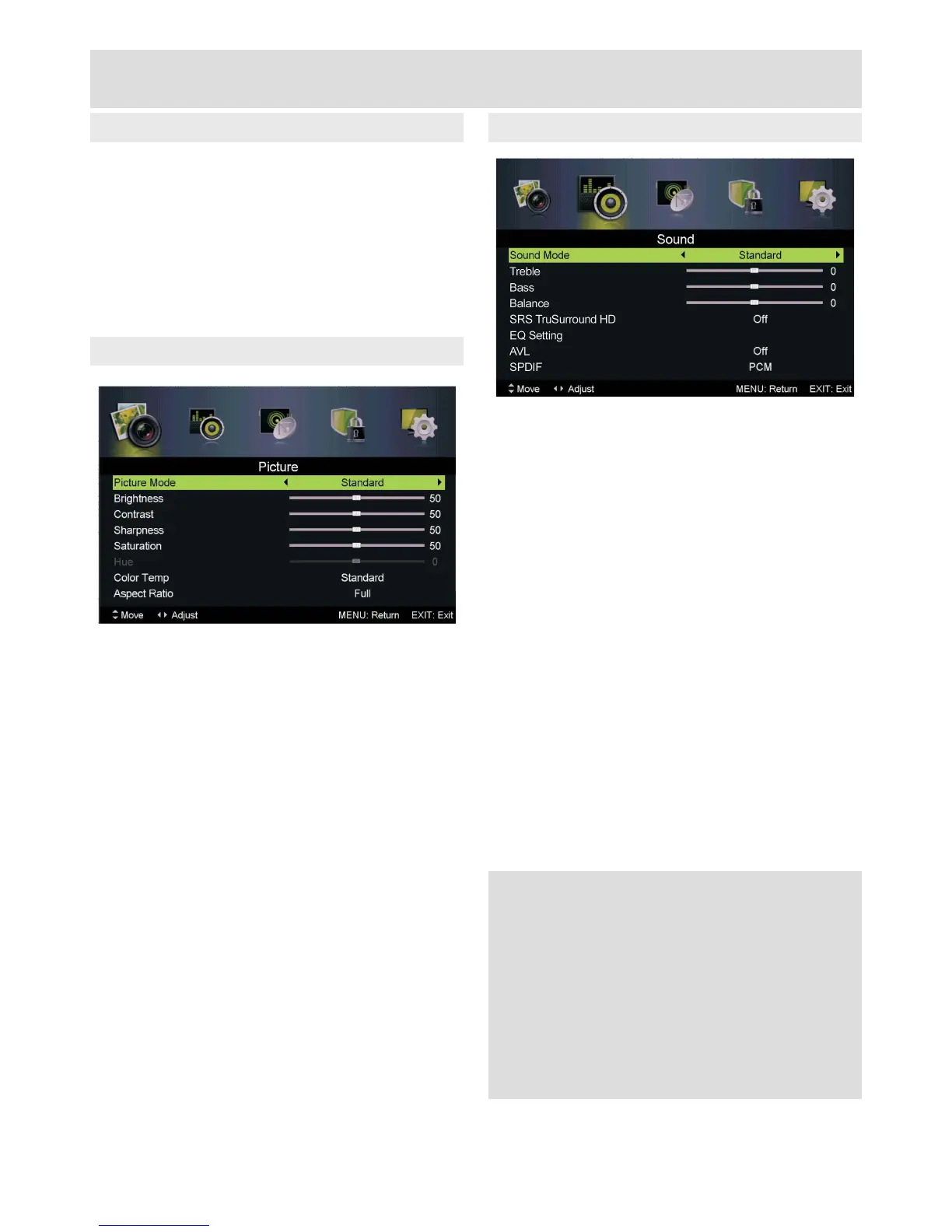
Picture Menu
All settings and options are accessed using the
MENU button
Navigateusingthe▲▼◄►andOK buttons
Exit sub-menus using MENU
Exit completely using Cancel/Exit
Picture Mode: Standard, Mild, Personal,
Dynamic
Brightness: Adjust picture brightness
Contrast: Adjust picture contrast
Sharpness: Adjustedgedenition
Saturation: Adjust picture colour depth
Hue (NTSC only): Adjust picture hue
Color Temp: Standard, Cool, Warm
Aspect Ratio: Full, Zoom1, Zoom2, 4:3
Advanced Settings:
NR: Set noise reduction: Off, Weak, Medium,
Strong
MPEG NR: Set MPEG noise reduction: Off,
Weak, Medium, Strong
Dynamic Contrast: Automatically adjust picture
detail and brightness: Off, Weak, Medium,
Strong
Sound Menu
Sound Mode: Standard, Music, Personal, Movie
Treble: Adjust higher frequency audio
Bass: Adjust lower frequency audio
Balance: Adjust level between left and right
speakers
SRS TruSurround HD: Surround sound effect:
On or Off (switch Off to adjust EQ settings)
EQ Setting: 7-band graphic equaliser with
presets: Off, Rock, Pop, Jazz, User
AVL: Automatic volume limiting: On or Off
SPDIF: Digital audio output: Off, Auto, PCM
Audio Description:
Mode: On or Off
Volume: Adjust AD volume separately
Sound Type: For use in dual language
broadcasts: Stereo, Dual I, Dual II, Mixed
PLEASE NOTE
SRS TruSurround HD must be switched off to
change Sound Mode and EQ settings.
Adjusting any picture or sound settings will
automatically change the mode to Personal.
If you wish to reset all picture and sound
adjustments: MENU > Setup > Reset



 To Next Page