BR10DAB
20
Changing the FM Station Information
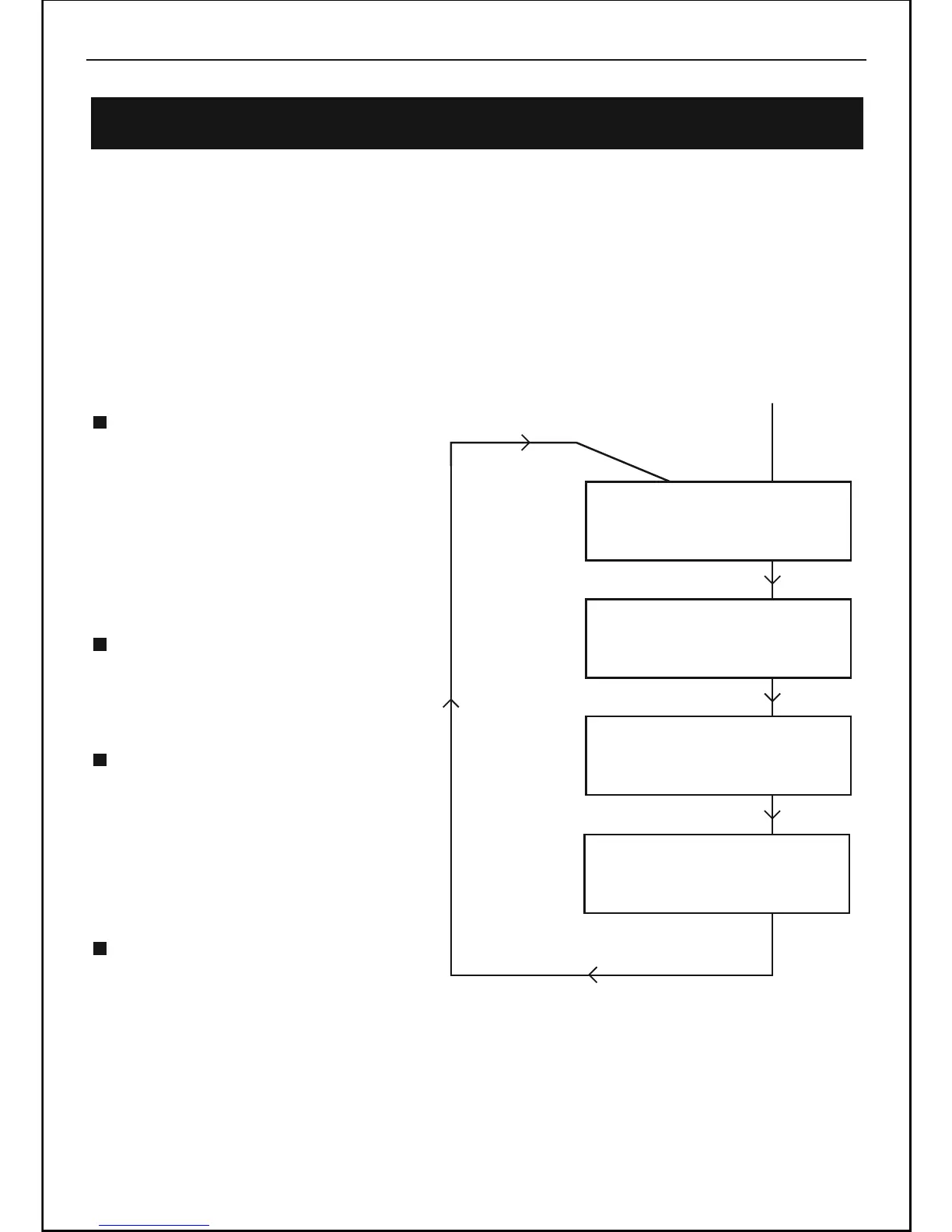
It is possible to change the information that is displayed on the second line of the
Please note: This information is dependent on the broadcaster and may not always be
available. If you receive no information it is not a fault with your radio!
DISPLAY when listening to an FM station ( RDS mode ). There are four types of
information available as listed below with examples to the right. To change the
information displayed press the INFO button repeatedly.
Radio text = This is scrolling text
information supplied by the FM
station It may comprise
information on music titles or
details of the programme and is
provided by the broadcaster..
Radio name = This is information
of radio name / frequency
supplied by the FM station.
Program Type (PTY) = This is a
description of the type of
programme provided by the FM
station and is provided by the
broadcaster.
Time and Date = This display the
time and date and is provided by
the broadcaster so will be accurate.
Using FM Radio -Continued
12:40 04-07-2009
News
Press INFO Button
Press INFO Button
Press INFO Button
Press INFO Button
Press INFO Button
91.80MHz
Radio 2
Radio 2
Radio 2
Radio 2
DLS scrolling



 To Next Page