5
GENERAL OPERATION
If you hear no sound, then press the “VOL +” control until you reach a desired level.
If the volume is too high, then press the “VOL -” control to decrease the volume level.
To listen the stations that have been stored press either / buttons to cycle
through. Each time you press the / buttons you will skip to the next or previous
stored station. The radio will switch to display the station name.
Press the “SLEEP/ ” button for 2 seconds to turn off the radio whenever it is on.
DAB OPERATION
1 Storing stations
it is possible to store up to 10 of your favorite stations to the preset keys. This will
enable you to access your favorite stations quickly & easily.
To store a preset, you must rst be listening to the station that you would like to save,
press & hold the PRESET button for 2 seconds. The LCD will then show the following.
Use the / buttons to choose the preset number from 1-10 you wish to use. Then
press the ENTER button to store.
Preset Store
< 1: (Empty) >
2 Recalling a stored station
Once you have saved a station to one of the preset buttons, you can recall by
pressing the PRESET button. Then use the / buttons to select the desired preset
station. Once selected press the ENTER button to activate.
If you choose a preset that hasn’t been allocated a station, then “Preset Empty” will
be displayed.
Alternatively you can use the preset buttons, press one of the buttons to use the rst
digit preset ie:- 1-6 will be 1. To use the preset 6 press and hold the 1-6 button.
3 Display modes
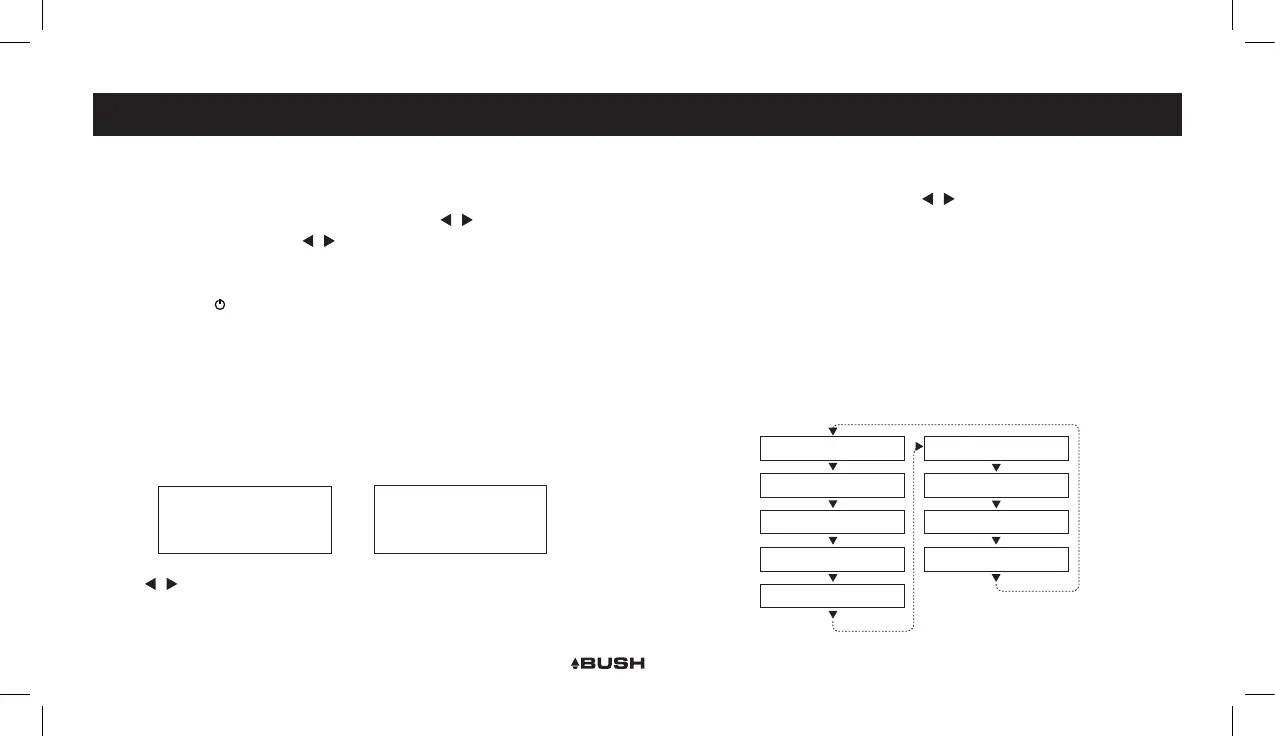
Every time you press the “INFO/MENU” button, the display will cycle through the
following display modes: The information is displayed on the lower segment of the
LCD display.
Preset 1
Stored
Signal Error
Programme Type
DLS (scrolling text)
Bitrate
Time
Date
Signal Strength
Ensemble Name
Channel Frequency
DAB OPERATION



 To Next Page