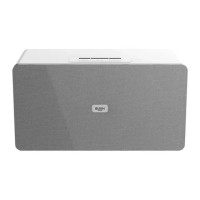
Getting to know your Party Speaker
You’ll be up and running in no time
Getting to know your Party Speaker
Mic connection
Follow the steps below to connect a microphone with a 1/4” jack plug.
1. Connect the 1/4” (6.3mm) plug to the MIC input (26) on top of the unit.
2. Once connected the volume is adjusted with the MIC volume control knob (16).
3. The mic input also as an ECHO control. Rotate the ECHO control knob (15) to adjust
the amount of echo on the mic output.
Guitar connection
Follow the steps below to connect a guitar using a 1/4” (6.3mm) jack cable (not supplied).
1. Connect one end of the 1/4” (6.3mm) jack cable to the guitar output and the other
end to the GUITAR input (25) on top of the unit.
2. Once connected the volume is adjusted with the GUITAR volume control knob (17).
Standby mode
This unit is designed to enter STANDBY mode automatically after 20 MINUTES
(approximately) of inactivity. Press the STANDBY button on the unit or remote to wake
the unit.
1. Press the STANDBY button on the unit or remote to put the system into standby.
2. To resume normal operation press either button again.
Switching input modes
Follow the below instructions to switch between Bluetooth, FM radio, AUX in and LINE in
input modes.
1. Press the MODE button on the main unit (12) or remote repeatedly to cycle between
Bluetooth, FM radio, AUX in and LINE in input modes.
2. Alternatively press the BT button on the remote for direct access to Bluetooth. And the
U/SD button to switch between USB and SD card inputs.



 To Next Page