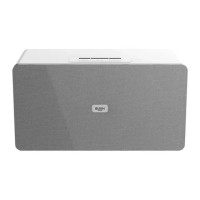
Getting to know your Party Speaker
You’ll be up and running in no time
Getting to know your Party Speaker
Volume function
1. Rotate the VOLUME control dial (18) clockwise or press the button on the remote
control to increase the volume output.
2. Rotate the VOLUME control (18) anti-clockwise or press the
button on the remote
control to decrease the volume output.
Mute function
Activating the mute function disables audio output from the speakers. Bluetooth, Radio
etc will remain playing while mute is activated.
1. Press the MUTE button on the remote control to silence audio playback.
2. Press again to resume audio output once more.
Bass / Treble adjustments
Using the bass and treble control knobs you can adjust the sound output.
• Rotate each knob to increase or decrease the treble (19) / bass (20) level for the audio
output.
Light eect
1. Press the LIGHT effect button (24) to begin the light show.
2. Press the LIGHT button to change the lighting effect. Up to 8 preset styles.
3. The 9th press of the LIGHT button will turn off the light effect.



 To Next Page