Connecting a Bluetooth device
When using the Bluetooth connection, you can listen to audio wirelessly from a Bluetooth
audio device (For example an MP3 player) within 10 metres of the Party Speaker unit.
1. When in Bluetooth mode you will see ‘bt’ appear on the display and the unit searches
for previously paired devices or becomes available for new connections (indicated by
the BT LED flashing)..
2. Enable Bluetooth on your audio device (For example a smartphone) and search for
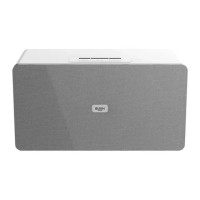
available bluetooth connections. Select the ‘BUSH PARTY SPEAKER’ from the list. If you
are asked for a pass code enter ‘0000’. The BT LED will stop flashing once connected.
If you turn off either device before pairing is complete the process will need to be
repeated when powered ON again.
3. Once paired an audible sound is heard through the speakers.
Each time you switch the Party Speaker on and select BLUETOOTH mode the device
will automatically connect, unless you have un-paired the device on your bluetooth
audio device.
4. You can now begin playback from the audio device and the output will playback
through the Party Speaker.
5. When using a mobile phone as an audio source and you receive a phone call the
audio playback stops while you receive the call. When you hang up the audio is
restored.
The volume output is effected by the volume level on the audio source EG: Phone or
laptop, so make sure that is set to about 70-80% (not too loud to avoid distortion).
6. To un-pair (disconnect) a bluetooth device, press the UNPAIR button on the remote
control. The party speaker will now revert to search mode, and be available for new
connections.



 To Next Page