31
Troubleshooting section of these instructions, or online at www.argos-support.co.uk If you still require further assistance, call one of our
experts on 0207 744 0346.
Getting to know your tablet
Getting to know your Bush Eluma B2 8" Tablet
You’ll be up and running in no time
Using two apps side by side
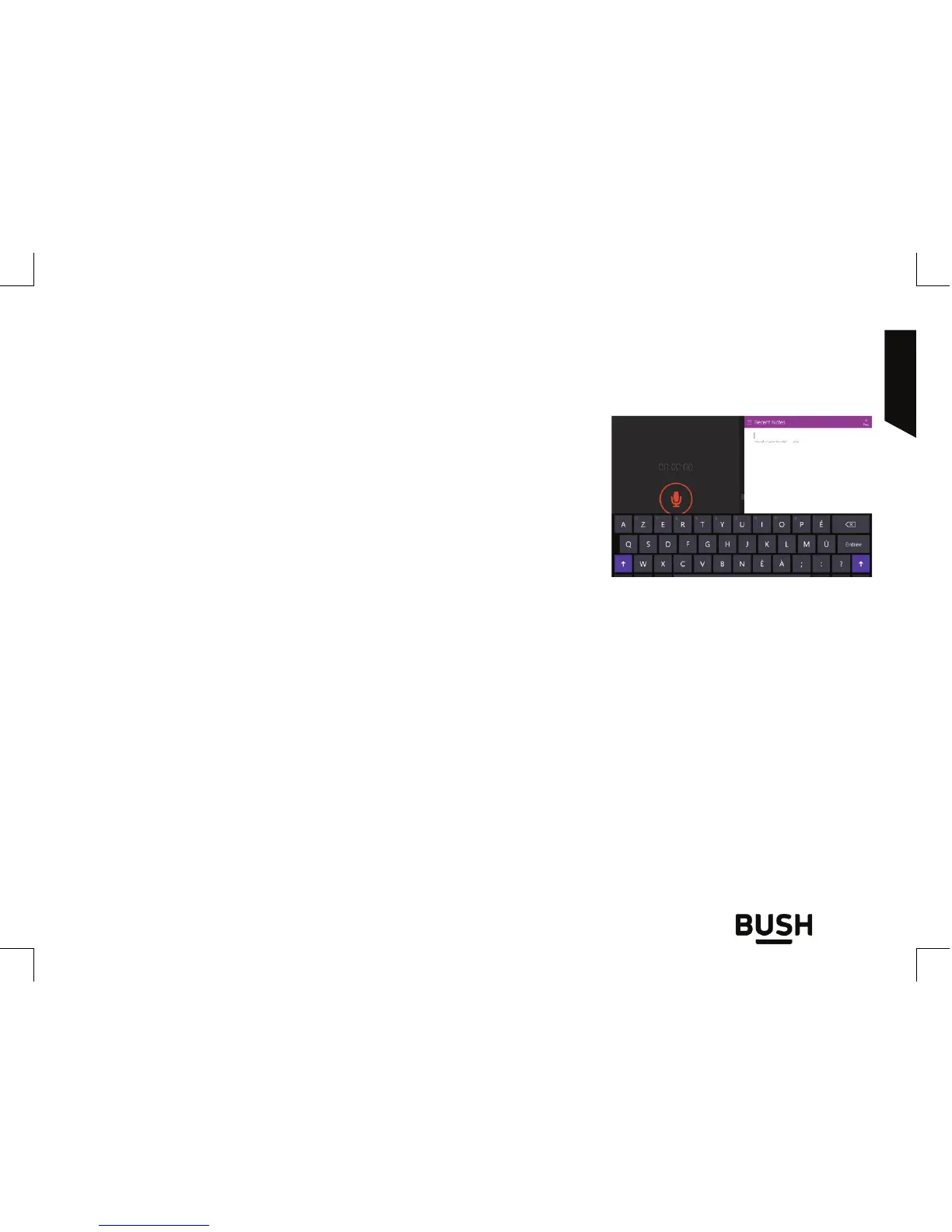
In landscape mode, you can have two apps on a screen at
a time. You can schedule meetings on your calendar while
you respond to email, or record a lecture in class with Sound
Recorder while you take notes in the desktop.
1. Open an app that you’d like to use.
2. Slide in from the top of the screen until an opening appears behind the app, then drag
the app to the left or right side.
3. Go back to Start and open a second app. It will appear next to the first app.
4. To resize the apps, drag the divider between the apps.



 To Next Page