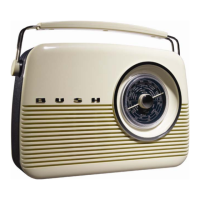
Bush TR82DAB
DynamicRangeControl
DRCaddsorremovesadegreeofcompressiontocompensateforthedifferenceinthedynamicrangebetweenradio
stations.Forexample,astationbroadcastingpopularmusicmaya highlevelofcompressionappliedsincethe
emphasisisonaconstanthighlisteninglevel,whereasastationbroadcastingclassicalmusicwillhavelittleorno
compressionasthelistenerrequiresallofthehighsandlowsinthemusictodefinethedetail.
Therearethreelevelsofcompression:
• DRC0Nocompressionapplied.
• DRC1MaximumCompressionapplied(thisisthedefault).
• DRC½MediumCompressionapplied.
Thebestwaytodeterminedwhichofthesesettingssuitsyoubestistoexperimentwiththemonavarietyof
sourcematerial.
1. PresstheMenuButtontoaccesstheMenucontrol.
2. PresstheNavigationButtonsuntil‘DRCvalue’isdisplayed.
3. PresstheSelectButtontoaccess‘DRCvalue’.ThecurrentDRClevelwillbedisplayedonline2ofthe
display.
4. PresstheNavigationButtonstoselectbetweenthethreeDRC values.Theavailableoptionappearson
line3ofthedisplay.
5. WhentherequiredDRCvalueisdisplayedpresstheSelectButtontoconfirm.Youshouldbehearthe
differenceincompressionimmediately.
6. PruneStation–NoorYes.
SWVersion
Toviewthesoftwareversionofthisproduct,presstheMenuButtonandthenusetheNavigationButtonstoscroll
throughMenuoptionstoselectsoftwareversion.
12


 To Next Page