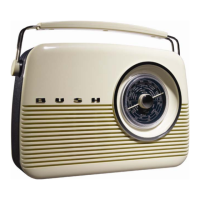
Bush TR82DAB
TurningonyourDAB+Radio
1. ConnectthePowerleadtothepowersocketonthebackoftheunit.Thenconnectthepowerleadtothemains
walloutlet.
2. Toswitchon,turntheOn/Off&VolumeControltotheright.PresstheDAB+Button.WhenDABModeis
selectedforthefirsttime,thedisplaywillilluminateandwelcometoDABwillbedisplayed.Thencarefully
extendantennaforthebestpossiblereception.
3. WhenyouturnonyourDAB+Radioforthefirsttimeitwillconductafullstationscanandstorealltheavailable
RadioStationsinthestationslist.Thismaytakeafewminutes.
# Note:a.TheDAB+stationswillbedisplayedinalphanumericorder.Thefirststationinthelistwillbeplayed
afterthescanhasbeencompleted.
b.IfnoDAB+signalisfoundinyourarea,itmaybenecessaryforyoutorelocateyourradio.
ChangingStations
ToscrollthroughthestationlistandchangetheDAB+Stationplaying,presstheNavigationButtons(leftandright
arrowsonthetopoftheradio).PresstheButtonsrepeatedlytoscrollthroughthelist.Thestationswillbedisplayed
online3ofthedisplay.
AdjustingtheVolume
Toadjustthevolumeturnthevolumewheel,locatedonthetopoftheradio.Toincreasethevolumeturnittothe
rightandtodecreasethevolumeturnthewheeltotheleft.
ToneDial
ThetonedialisusedtoaltertheaudiooutputoftheDABdigitalradiobetweenahigh(treble)andlow(bass)
frequencyrange.Turnthetonedialrighttoen hancethehighfrequency(treble)contentofthesoundoutput.Turn
thetonediallefttoenhancethelowfrequency(bass)contentofthesoundoutput.
8


 To Next Page