14
If you require any technical guidance or find that your product is not operating as intended, a simple solution can often be found in the Troubleshooting section of these instructions,
Getting to know your TV
Getting to know your TV
You’ll be up and running in no time
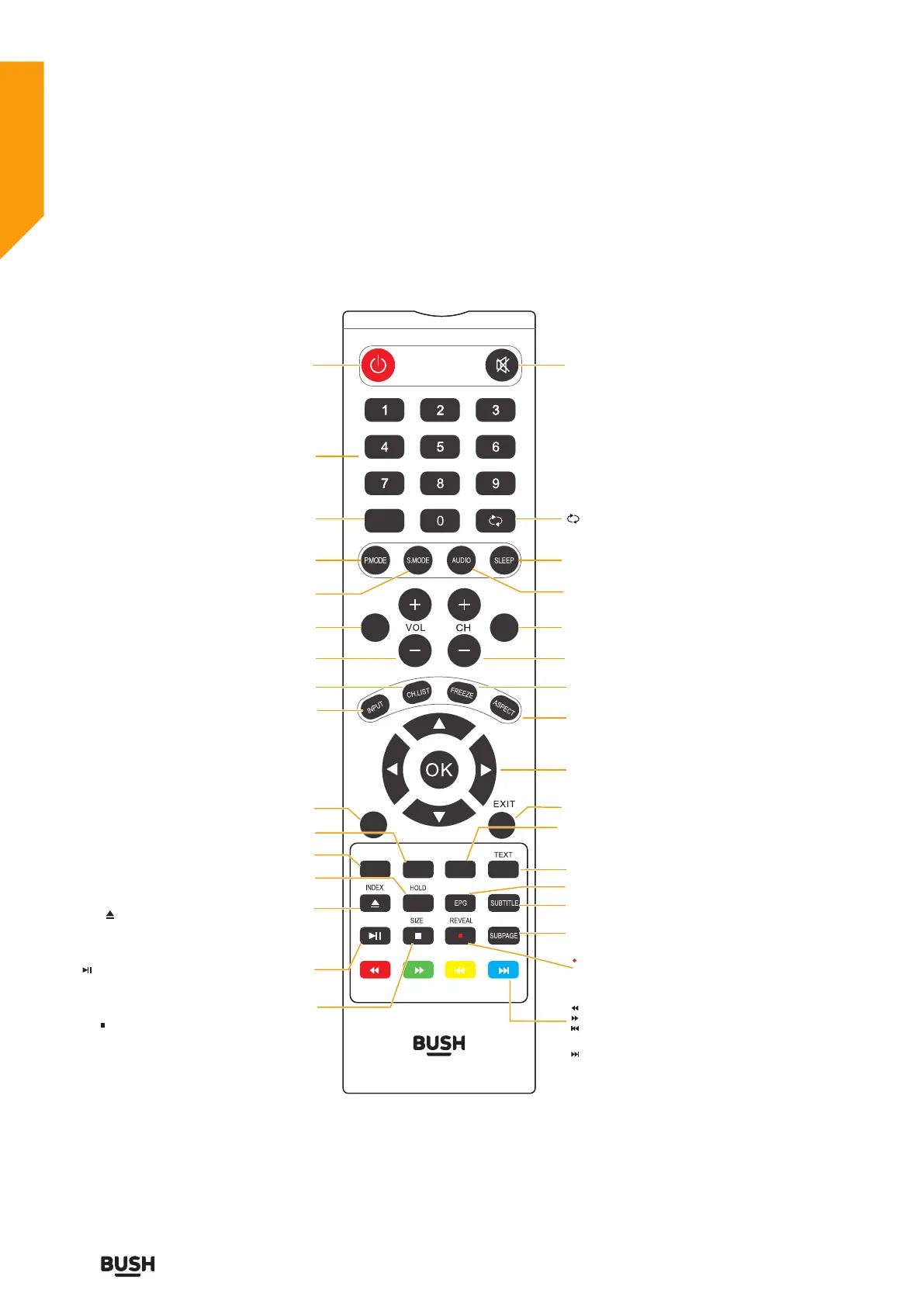
Viewing remote control
D-REV. 02
FAV INFO
TV.MENU
D.MENU
A-B
SET-UP
DVD
TITLE
Power: Switches the TV between on and
standbymode.
FAV : Display the Favourite Channel list.
( ATV / DTV mode)
VOL+/- :
Adjust the volume.
CH.LIST : Display channel list. (ATV / DTV mode)
INPUT :
TV.MENU : Display the OSD (On Screen Display) menu.
DVD : Press to DVD Source.
Ejects a disc.
D.MENU: Return to main menu of DVD.
HOLD : Freezes a multi-page passage on screen in
teletext.
A-B : Repeats a segment between A and B.
INDEX : To select the page number of the index
from teletext.
:
:
•To start the timeshift playback. (DTV mode)
•To start playback or pause. (USB/DVD mode)
: Press once to stop. (USB/DVD mode)
SIZE : To enlarge the picture on the TV in teletext.
CH+/- : Select a channel.
FREEZE :
ASPECT :
:
EXIT : Exit the OSD (On Screen Display) menu.
EPG : Display the EPG (Electronic Program Guide).(DTV mode)
SUBTITLE : Display the subtitle which is broadcast with
the program.
SUBPAGE :
:
Displays the subpage on the teletext
screen.
REVEAL : Reveals hidden information such as the
answer to a quiz in teletext.
Record the current programme. (DTV mode)
:
To reverse playback rapidly. (USB/DVD mode)
:
To advance playback rapidly. (USB/DVD mode)
:
To skip to the beginning of the previous
chapter / track / photo. (USB/DVD mode)
:
To skip to the beginning of the next chapter /
track / photo. (USB/DVD mode)
TEXT : Turn on and o the Teletext function.
SET-UP : Enter or exit DVD OSD setting menu.
TITLE : Display disc menu
OK : • Confirm the selection in the OSD menus.
• Display a list of channels saved in the TV tuner
memory.
Allows you to navigate the OSD menus and
adjust the system settings to your preference.
0-9 Number Button: Press to select a
programme. (ATV /
DTV/DVD mode)
Mute: Mutes and restores
your TV sound.
INFO : Displays the status information.
SLEEP :
:
Set the TV sleep timer.
Return to the previous viewing channel.
(ATV/ DTV mode)
USB :
Press this button in to USB source.
USB
AUDIO :
Press to switch the audio mode.
Select among the dierent input signal sources:
Digital / Analogue / SCART / YPbPr / DVD /
HDMI 1 / HDMI 2 / AV.
P.MODE : Select picture mode: Dynamic / Standard /
Personal / Movie / Economy.
S.MODE : Select sound mode: Standard / Music / Movie
/ Sports / Personal.
Press this key to freeze the picture, press again to
restore the picture.
Select from the following mode settings: Auto/
Zoom1 / Zoom2 / 4:3 / 16:9.



 To Next Page