16
If you require any technical guidance or find that your product is not operating as intended, a simple solution can often be found in the Troubleshooting section of these instructions,
Getting to know your TV
Getting to know your TV
You’ll be up and running in no time
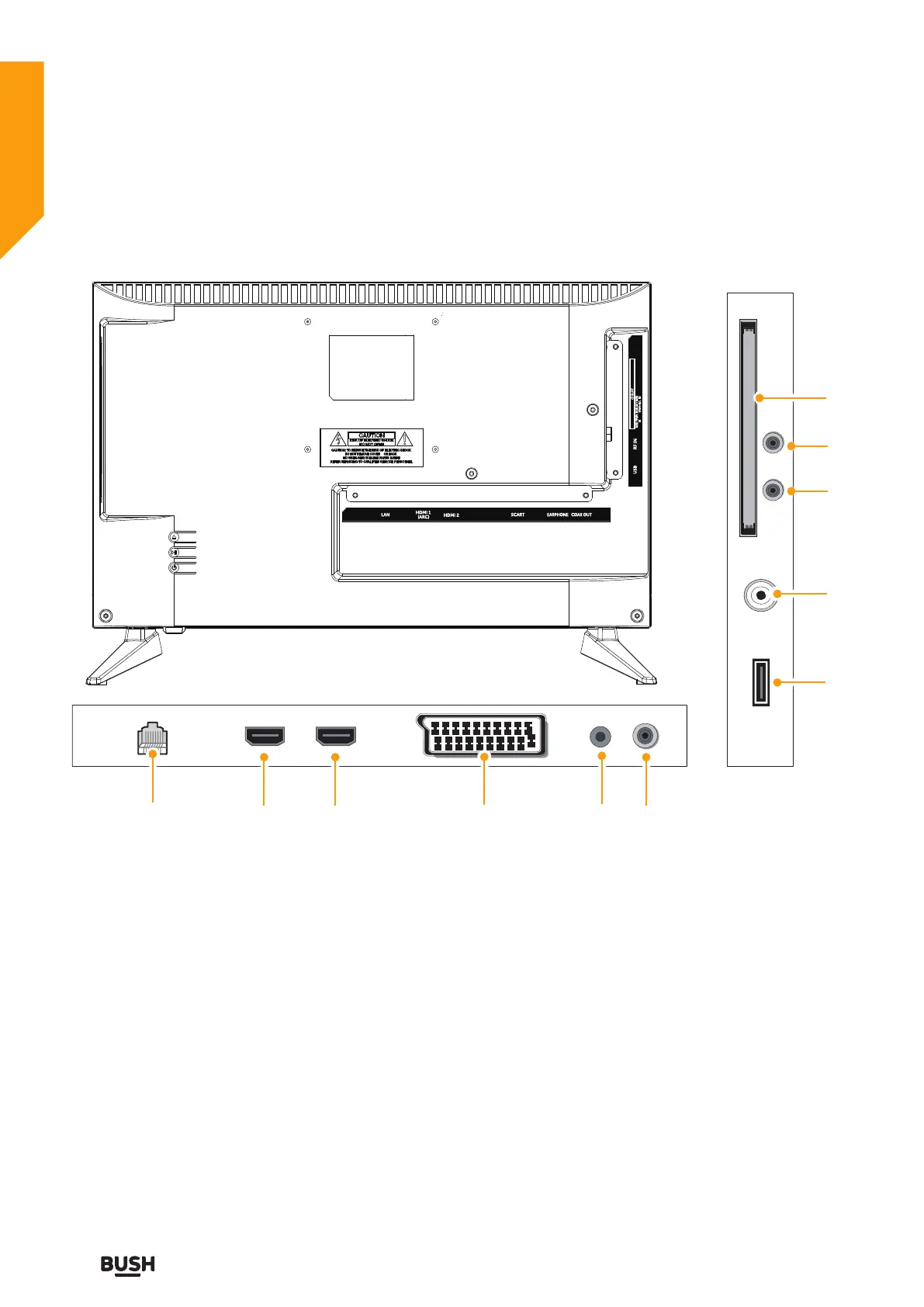
Viewing back panel
5 10
13
14
11
8
15
96 7
12
EARPHONE
LAN SCART
COAX OUT
HDMI 1
(ARC)
HDMI 2
USB
MINI AV / MINI
YPbPr-R/L IN
MINI YPbPr
IN
CI SLOT
RF IN
5. LAN
6. HDMI1 (ARC) Socket High
Definition lead connection
7. HDMI2 Socket High Definition lead
connection
8. SCART Socket SCART lead
connection
9. Headphone jack
10. COAXIAL Out
11. USB Socket USB connection
(optional)
12. RF Input (ANT.)
13. MINI YPbPr
14. MINI AV/YPbPr-R/L
15. CI Slot



 To Next Page