18
If you require any technical guidance or find that your product is not operating as intended, a simple solution can often be found in the Troubleshooting section of these instructions,
Getting to know your TV
Getting to know your TV
You’ll be up and running in no time
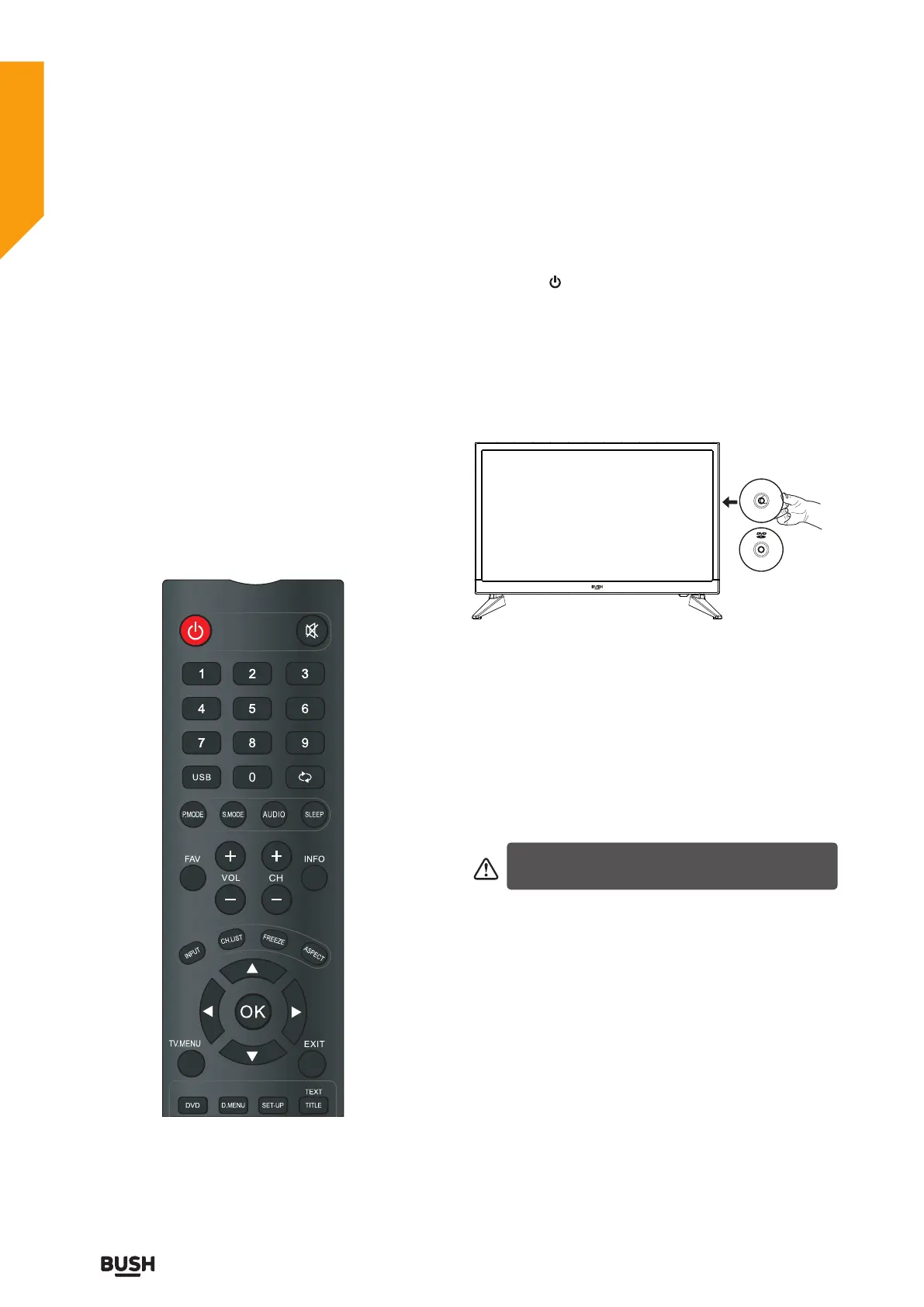
Operation using remote control
The remote control is designed to control all the
functions of the model you selected.
Volume Setting
Press VOL+ button to increase the volume.
Press VOL- button to decrease the volume. A volume
level scale (slider) will be displayed on the screen.
Programme Selection (Previous or Next Programme)
Press CH- button to select the previous programme.
Press CH+ button to select the next programme.
Programme Selection (Direct Access)
Press number buttons on the remote control to select
programmes between 0 and 9. The TV will switch to the
selected programme.
How to watch a DVD
1.Press the “ ” button on the TV or remote control.
2.Switch to DVD source using the “INPUT” button on the
remote control.
3.Insert a disc into the loader.
The no label side of the disc MUST be facing you when
looking at the TV screen.
Label sid
e
Label side
If play does not start automatically, press the "
II
"button
on the remote control, or the "
II
" button at the back of
the TV.
A menu may appear on the TV screen after a few
moments or the film may start immediately after the
Film/TV Company introduction. This will depend on the
disc content and may differ on each disc.
4. Press the navigation buttons "
" or the number
buttons to select the required title.
5. Press the OK button. The selected item starts to play.
Steps 4 and 5 are only available when a menu is
recorded on the disc.



 To Next Page