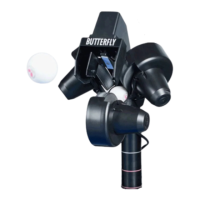
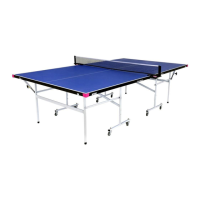
Amicus 3000 Plus Table Tennis Robot
Users Manual
Table of Contents
Table of ContentsTable of Contents
Table of Contents
Chapter 1 - Introduction
Introducing the Amicus 3000
Chapter 2 - Assembly of the Amicus
Tools Needed
Assembly Procedure
Chapter 3 - Quick Start Guide
Positioning the Amicus
Powering on the Amicus
Hitting your first shots
Chapter 4 - A tour of control panel basics
Ball Type Controls
Testing Balls Types: with “Step” & “Sample” buttons
Understanding ball positioning modes
Ball "Place” button
Ball "Place” mode examples
"Ball Type" button
“Ball Type" mode examples
Chapter 5 - Using the additional control panel features
Using the pattern memory feature
To clear a pattern from memory
The play/pause feature
Changing ball distance of a memory pattern
The serve and continue feature
The AFC feature
“CA” calibration function
Chapter 6 - Misc. features, maintenance, & operating information
Delivering sidespin balls
Moving the robot using its wheels
Delivering balls from the corners of the table
Serve Practice
Shoot wheels care
Ball Jams
Stop Pin Maintenance
Fuses
Adjusting Wheels
Appendix I – Ball Type & Pattern Set-up sheet
Appendix II - Training Patterns (from European users Manual)
Appendix III - Technical Specifications (from European users Manual)



 To Next Page