Attention!
1. Please pay attention to the needle to avoid bumping your hands.
2. When the machine is sewing, do not switch patterns.。
Perhatian! 1. Harap perhatikan jarum untuk menghindari menabrak tangan Anda.
2. Saat mesin sedang menjahit, jangan mengganti pola.
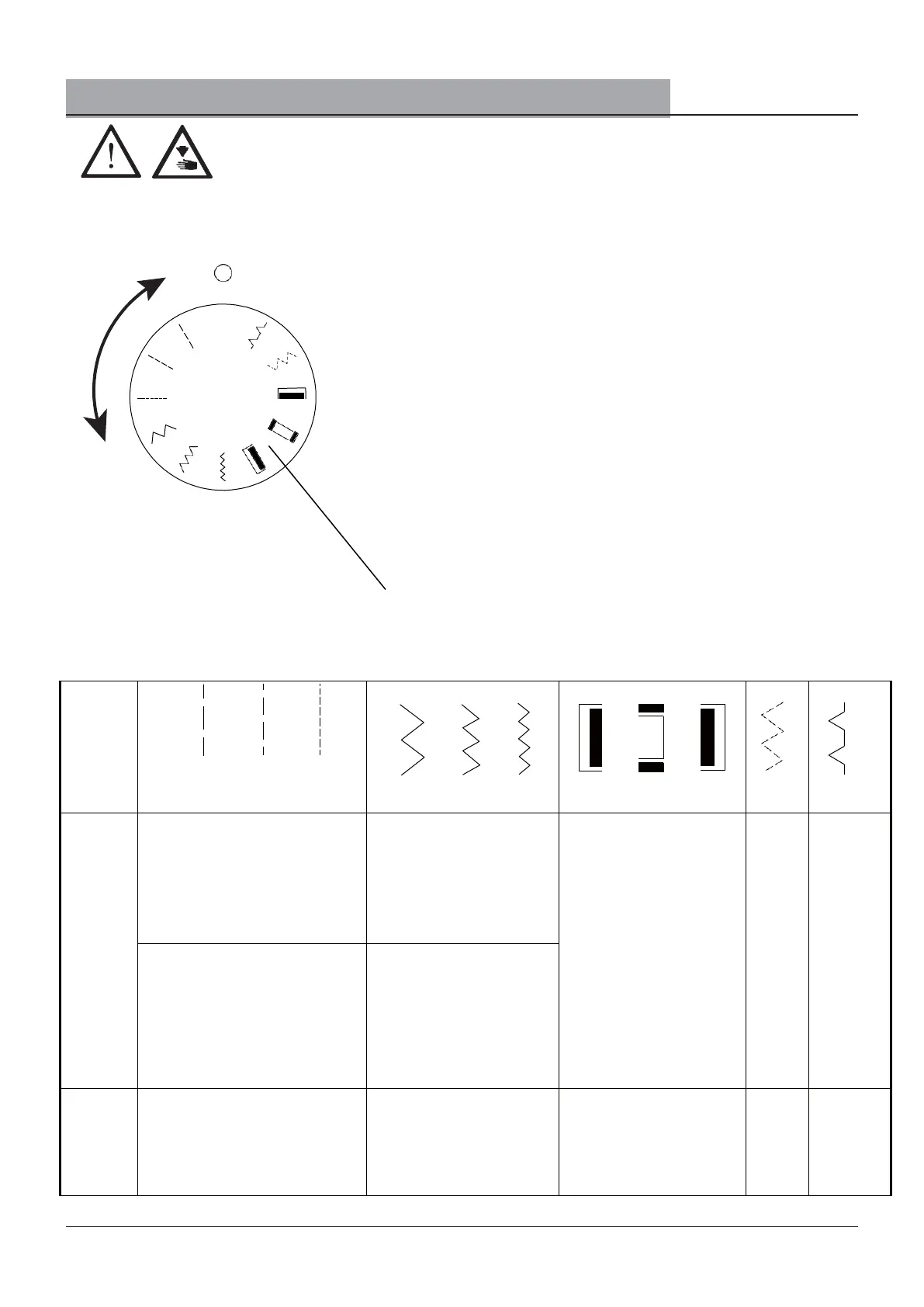
Pattern selection position
Posisi pemilihan pola
Select the pattern according to your own needs and turn the
"pattern selection dial". Rotate the "desired pattern" to align
with the O position above.
Pilih pola sesuai dengan kebutuhan Anda sendiri dan putar
"tombol pemilihan pola". Putar "pola yang diinginkan" agar
sejajar dengan posisi O di atas.
Note: When rotating the pattern
selection dial, make sure that the
needle is at the highest point.
Catatan: Saat memutar tombol
pemilihan pola, pastikan jarum berada
di titik tertinggi.
Pattern selection dial
Tombol pemilihan pola
pattern
display
tampilan
pola
Straight
stitch
Jahitan lurus
Zigzag stitch
Jahitan zigzag
Buttonhole
Lubang kancing
large
off-center
stitches
stitch
Oversized
small
Stitches
stitches
big
small
sawtooth
sawtooth
medium
sawtooth
Ordinary sewing
Jahit biasa
Buttonhole
Lubang kancing
5. Selection of sewing patterns/Pemilihan pola menjahit


 To Next Page