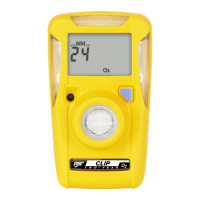
GasAlertMicroClip
Quick Reference Guide
Calibration
Procedure Display Procedure Display
a Caution
Calibrate only in a safe area and in
an area that is free of hazardous gas.
Do not calibrate the detector during
or immediately after charging is
complete.
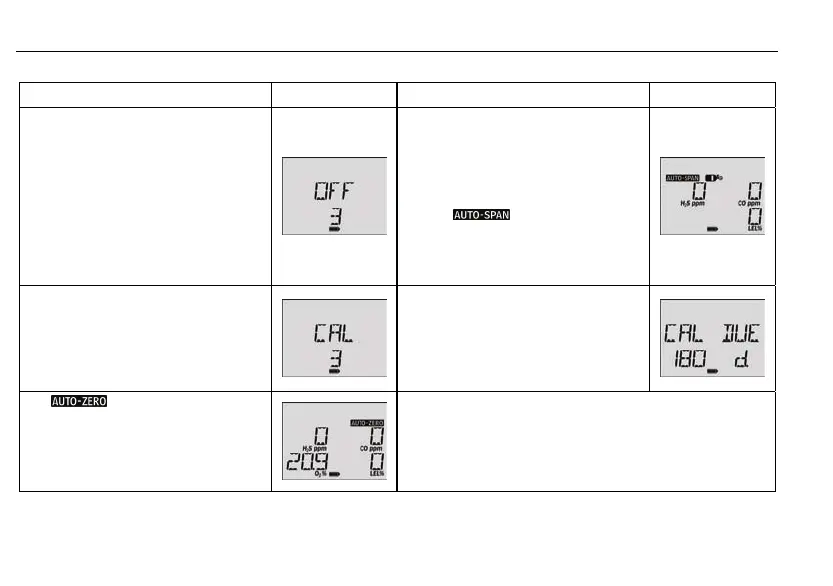
1. In a clean atmosphere, press and hold
C as the detector performs the OFF
countdown. Continue to hold C when
the detector briefly deactivates.
4. K flashes when you connect the gas
cylinder and apply gas at a flow rate of
250-500 ml/min.
After a sufficient amount of gas has
been detected (approximately 30
seconds) the detector emits a beep
and flashes while the
detector completes the span.
2. The detector then activates again and
performs the CAL countdown.
Continue to hold C until the
countdown is complete to enter
calibration.
5. The LCD then displays CAL DUE. It
then displays the number of days
remaining before the next calibration is
due above each gas. Then the LCD
displays the days until the next
calibration due date before completing
the calibration.
3. flashes while the detector
zeroes all of the sensors and
calibrates the oxygen sensor. If a
sensor failed to auto zero, it cannot be
spanned. Once auto zero is complete,
the LCD displays APPLY GAS.
Note
The calibration cap should only be used during the calibration
span process.
Wind currents may cause false readings and poor calibrations.
Do not calibrate the detector during or immediately after charging
is complete.
6



 To Next Page