14.2 BWT Easy Dose pH
Switch positions :
1 : Normal dosing position
The pump runs while the device is powered on and the pH is above the selected setpoint.
The pump speed is automatically adjusted by the device according to the proportional dosing principal.
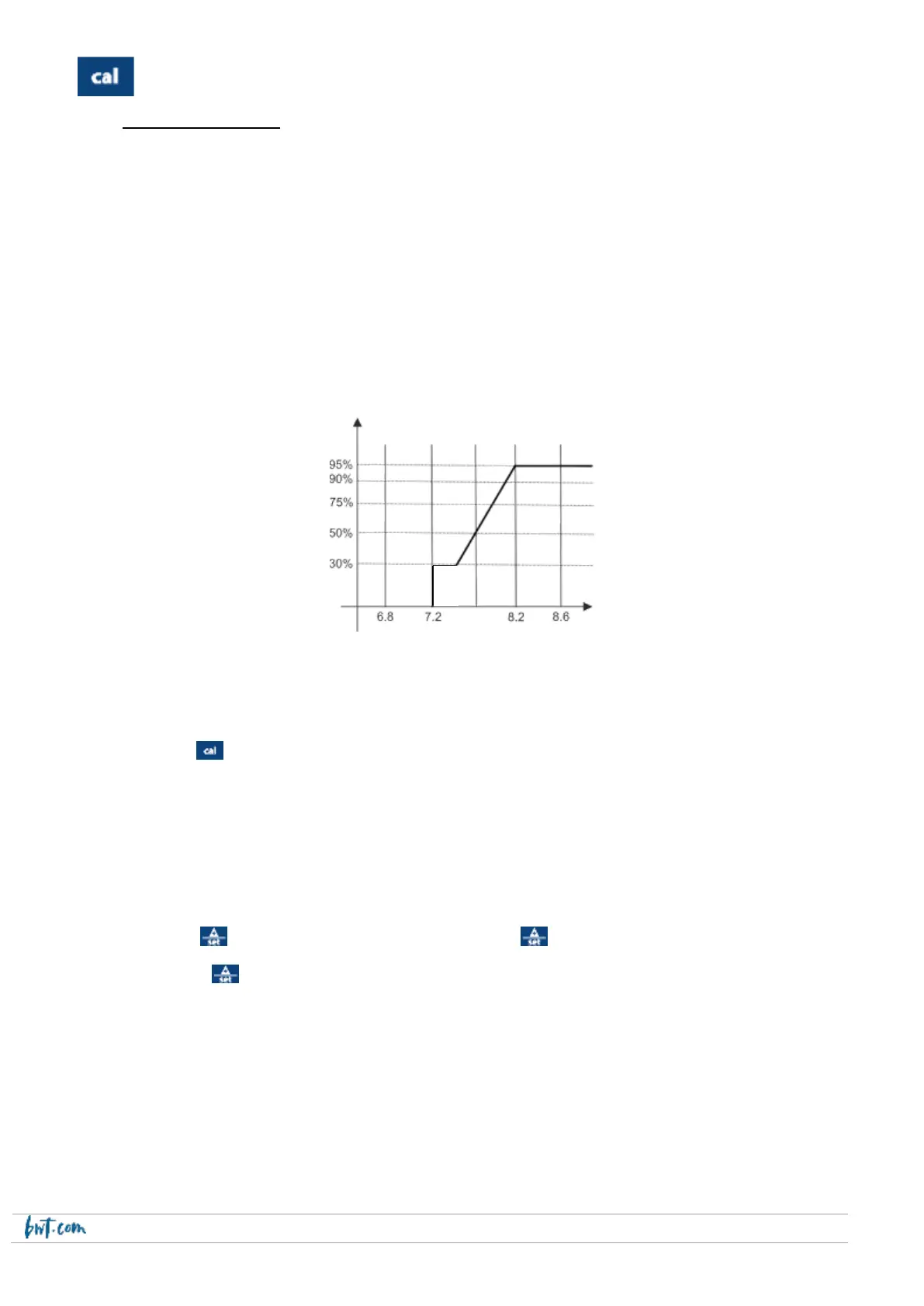
Example :
Setpoint = 7.2 pH
Dosing method = Acid
Proportional band = 1.0 pH (value cannot be adjusted) => proportional dosing between 7.2 and 8.2
as shown in the graph below:
0: The pump is stopped.
Setting the parameters:
e. Set the switch to 0
f. Press the key down for 3 seconds to access the parameter setting menu (SETUP) : .
4. Choose the pH dosing method: Acid (injection of acid to reduce the pH) or Alka (injection of base to
increase the pH)
5. Overdosing alarm (OFA): set continuous injection time period after which the pump will stop (between 0
and 60 minutes)
6. Time delay before energising of the probe (POD): set the time delay to between 0 and 60 minutes
Setting the setpoint:
j. Set the swtich to 1
k. Press the key until the setpoint value flashes, then press key to scroll through the setpoint values until
the desired value is displayed
l. Release the key, 3 seconds later, mem will be displayed
Nota Bene :
- the pH setpoint can be adjusted between 6.2 and 8.2, in increments of 0,1.
- if the measured value is below 6.2 or above 8.2, the screen will flash.
- the probe measurement range is between 3.8 and 8.2


 To Next Page